Asset Risk Visibility
Register each asset with its owner, department and CIA rating, link risks and vulnerabilities to it, and see asset risks by level on one dashboard.
Made for: IT Asset Owner, Risk Manager, CISO
Sounds familiar?
IT keeps an inventory of servers and applications, and the risk team keeps a separate register. When a vulnerability is found on a database, nobody can say quickly who owns it, how critical it is, or which recorded risks concern it.
The inventory lists the device but not the person who answers for it.
A risk is recorded in general terms, so it is not clear which system it affects.
Without criticality next to risks and vulnerabilities, every fix looks equally urgent.
How MUNTABIQ helps
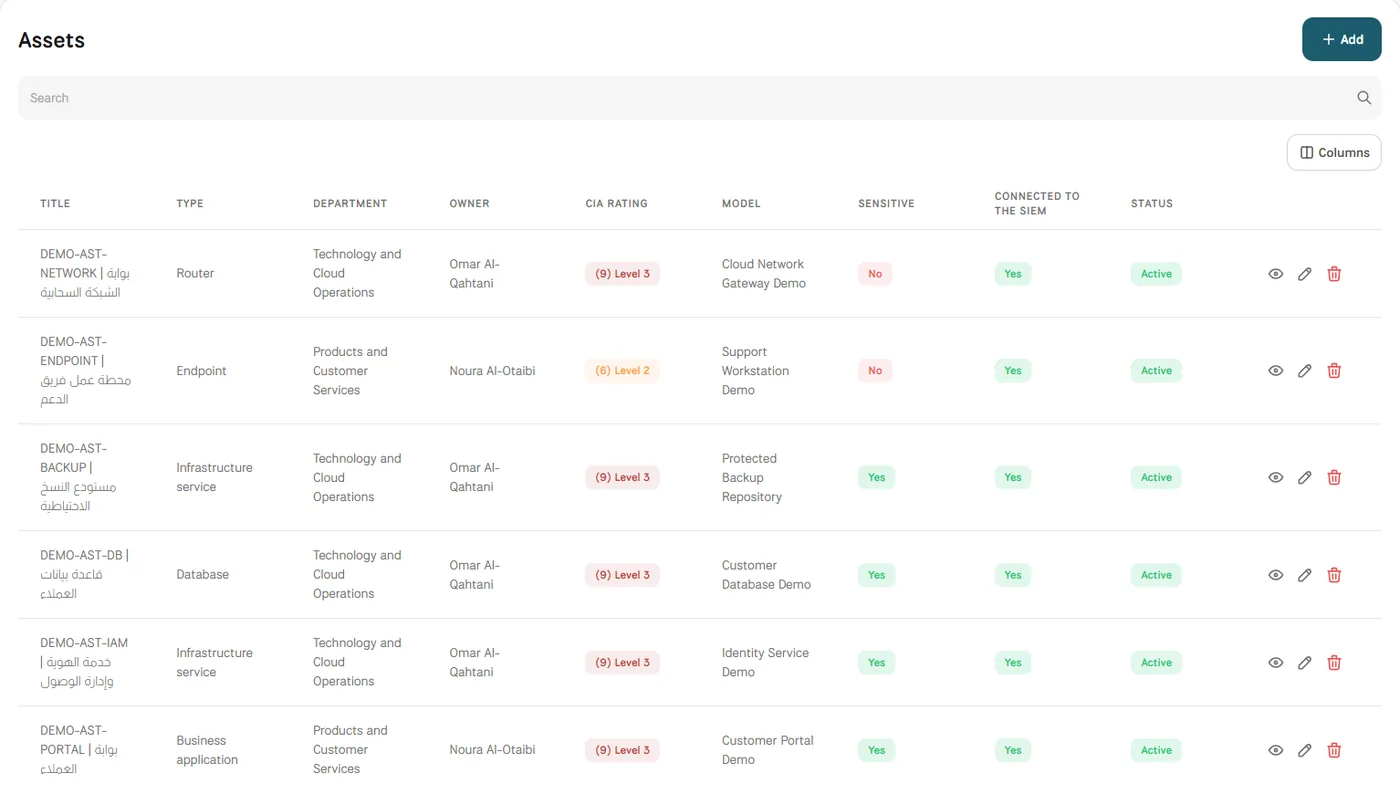
MUNTABIQ keeps assets and risks in the same platform. Each asset has a type, owner, operator, department and CIA rating, and is marked as sensitive or connected to the SIEM where that applies. When a risk is recorded, the asset can be chosen as its source, and vulnerabilities are linked to the assets they affect. The asset page shows its linked risks by level, and the assets dashboard shows rating progress and asset risks by level.
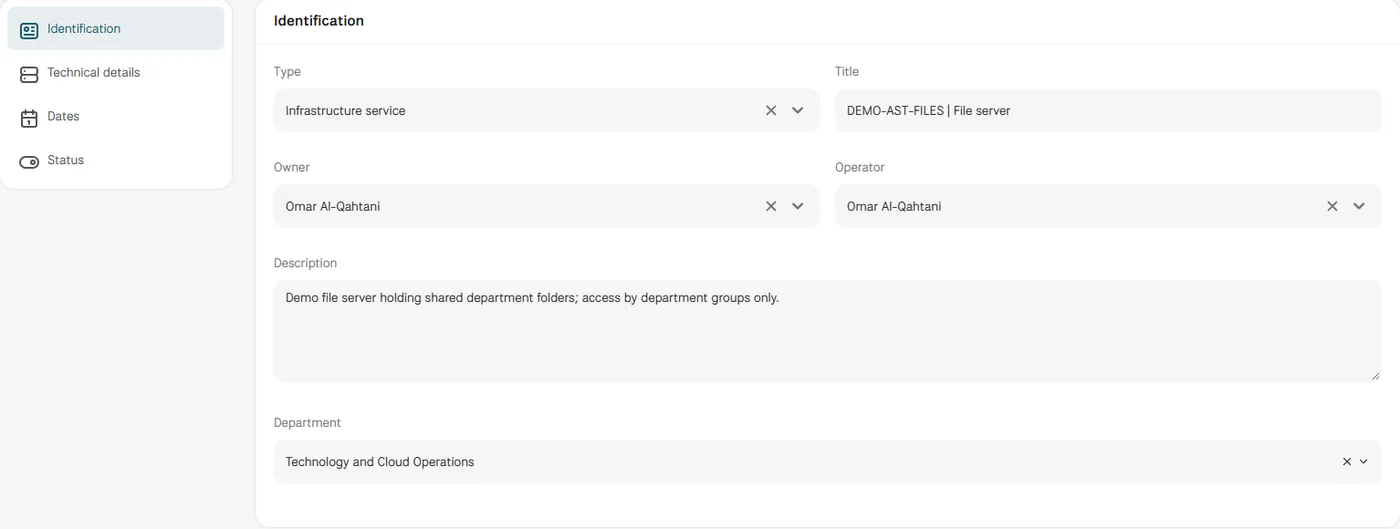
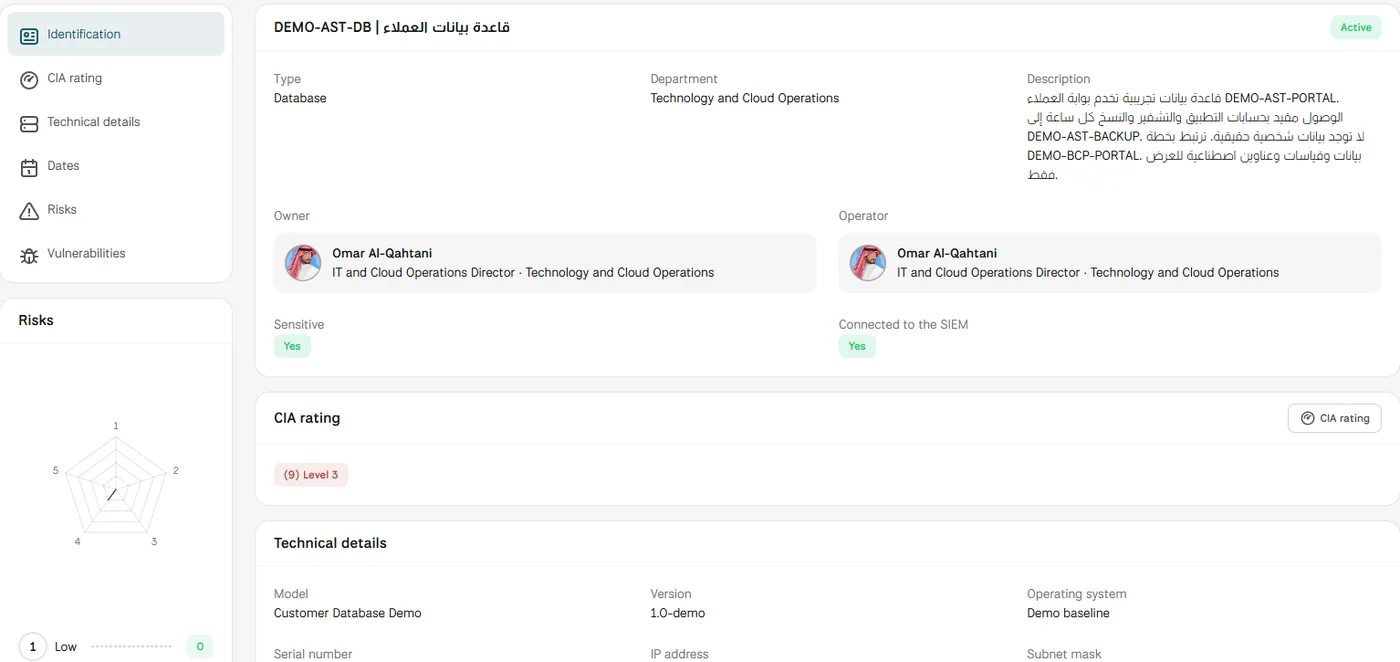
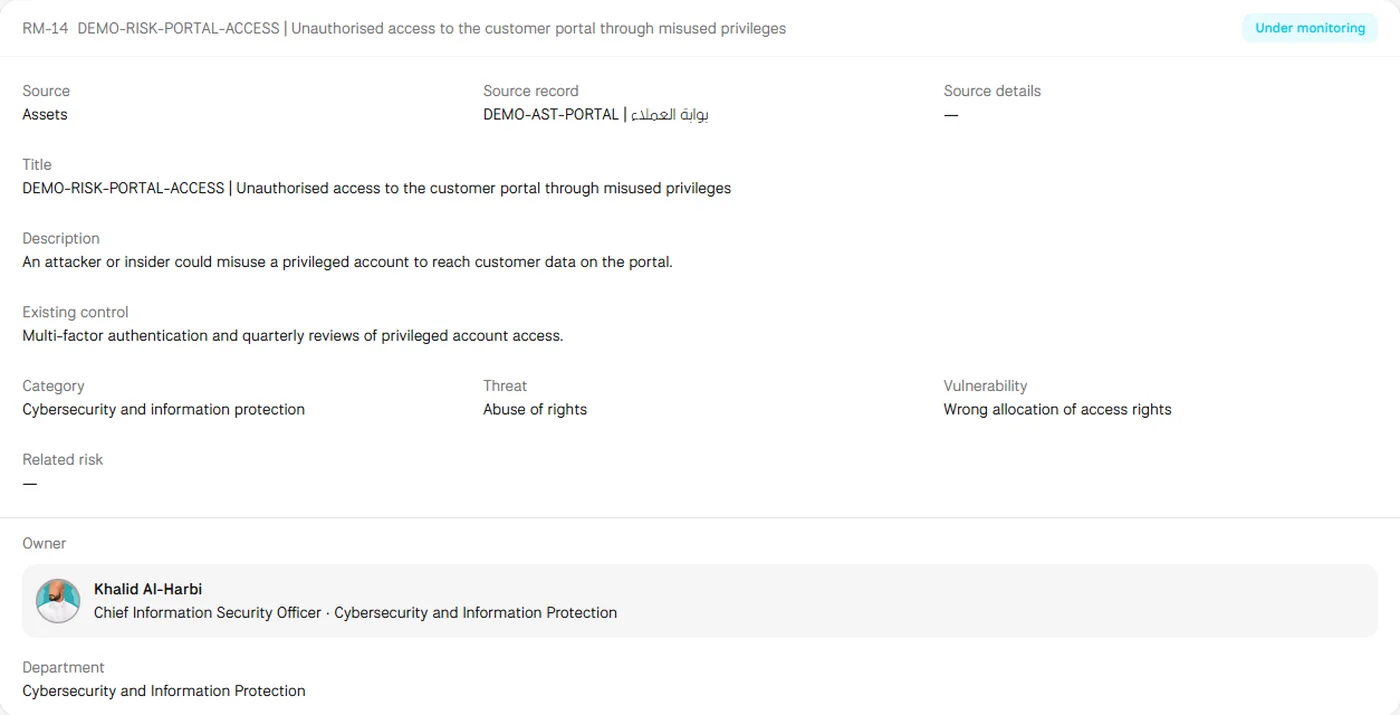
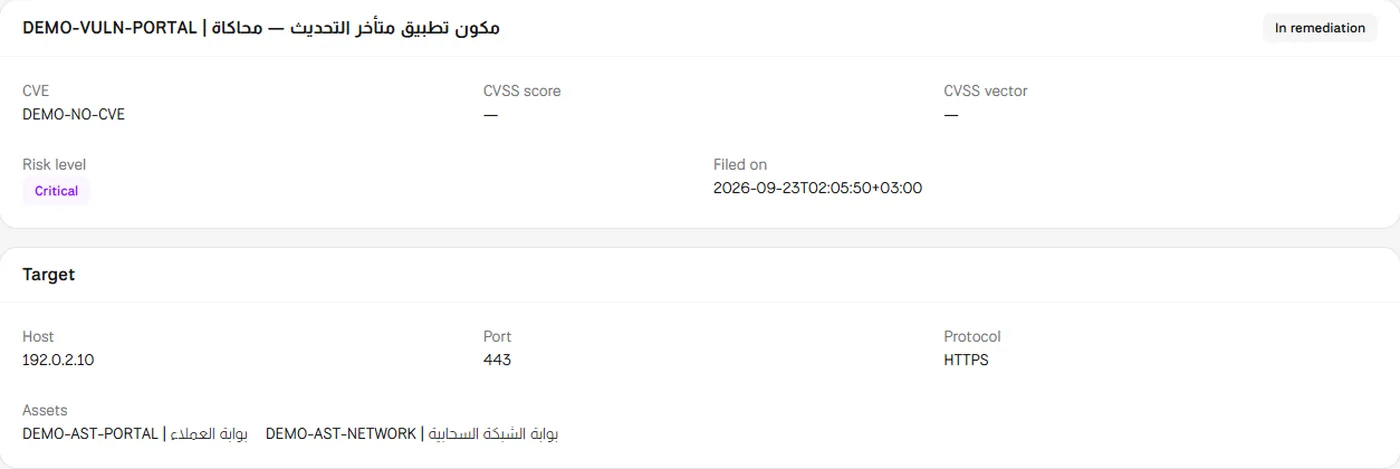
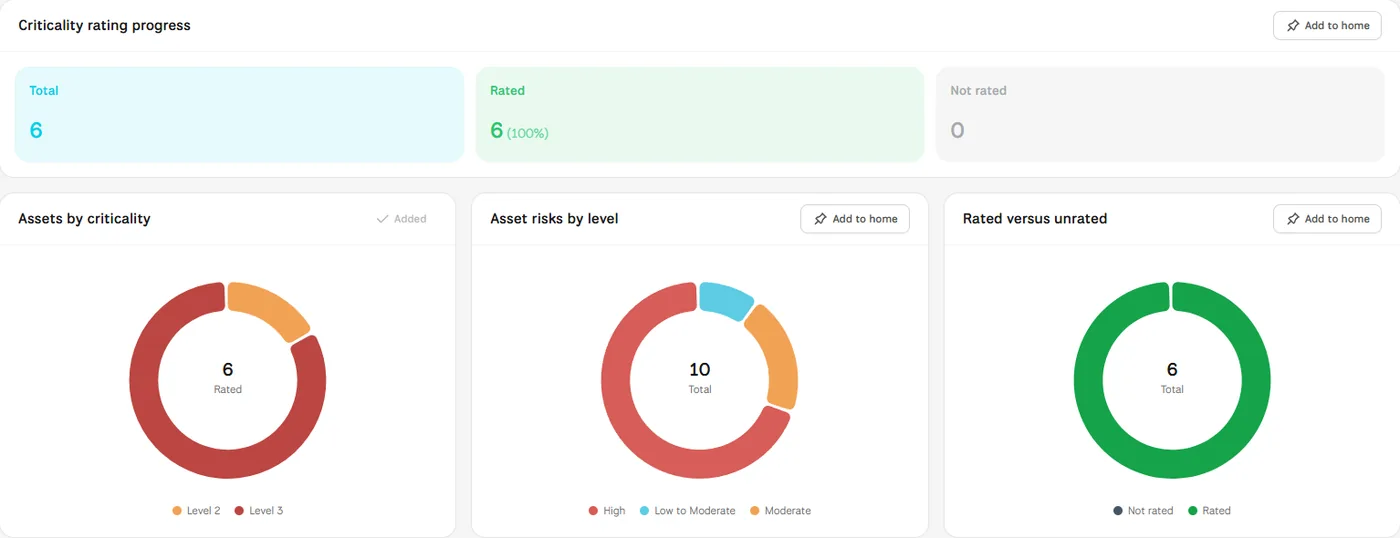
Screens from MUNTABIQ with demo data.
Each asset names its owner, operator and department, so questions reach the right person.
A risk recorded from an asset stays linked to it, and the asset shows its risks by level.
Criticality, linked risks and vulnerabilities sit side by side, so the most exposed assets are easier to identify.
Keeps the asset's details, backup dates and status current, and sees the risks and vulnerabilities that concern it.
Records risks against the affected asset and weighs them against the asset's criticality.
Follows sensitive assets, rating progress and asset risks by level on one dashboard.
Yes. The type list includes routers, endpoints, databases, business applications and infrastructure services, and each asset has technical details such as model, version, operating system and IP address. You can also load your existing asset list from a spreadsheet through Imports.
When you add a risk, you choose Assets as its source and select the asset record, and the asset page then shows its linked risks with a chart by level. Vulnerabilities are linked to assets from the vulnerability record or with Link a vulnerability on the asset page.
Each risk recorded against an asset has its own owner, assignees and due date, and the assignee submits the treatment from the risk page. What each owner can see depends on the permissions you give them, and we set this up with you during the demo.
Request a demo and we will walk you through these steps using assets similar to the ones your teams run.
