Multi-Framework Compliance Mapping
Load each framework with its full structure, link your policies and documents to the controls they support, and follow every framework on its own without rebuilding the same evidence.
Made for: CISO, GRC Lead, Compliance Analyst
Sounds familiar?
A single access management policy answers requirements in more than one place, yet every review asks for it again. Teams keep separate matrices to track where it applies, and each copy drifts a little further from the others.
Without a record of where a document applies, every request starts from zero.
Spreadsheets of overlaps take effort to maintain and fall out of date with each new version.
When the link between a document and a control is not recorded, each team interprets it in its own way.
How MUNTABIQ helps
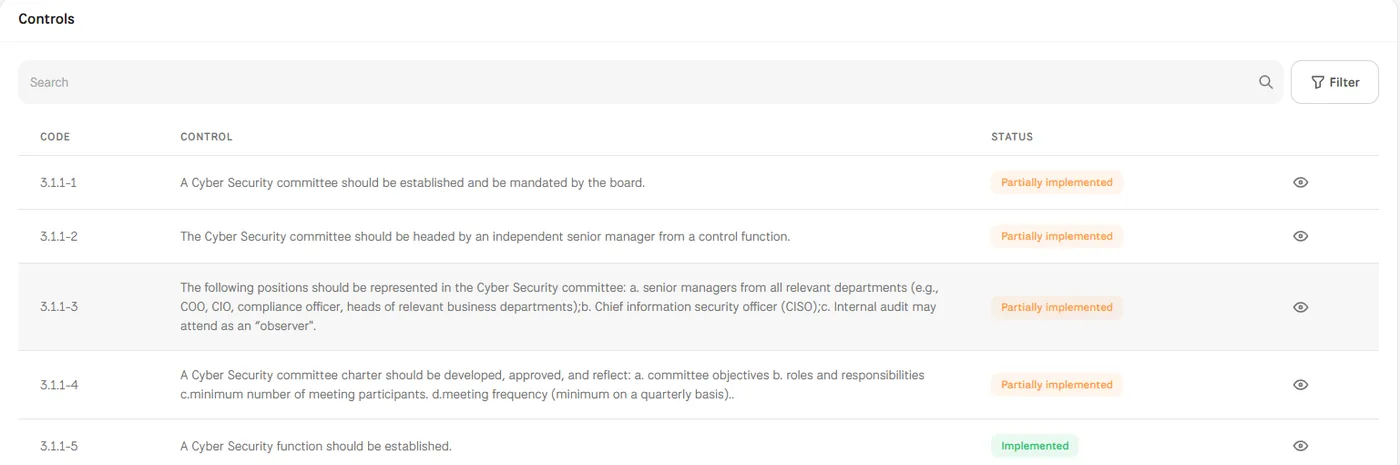
MUNTABIQ loads a framework from one sheet with its domains, subdomains and controls, so every control has a clear place. When you add a policy or another document, you choose the framework and the controls it supports, and the link makes the document count as evidence in Compliance. The document page lists those controls with their compliance status, and each framework is still assessed on its own.
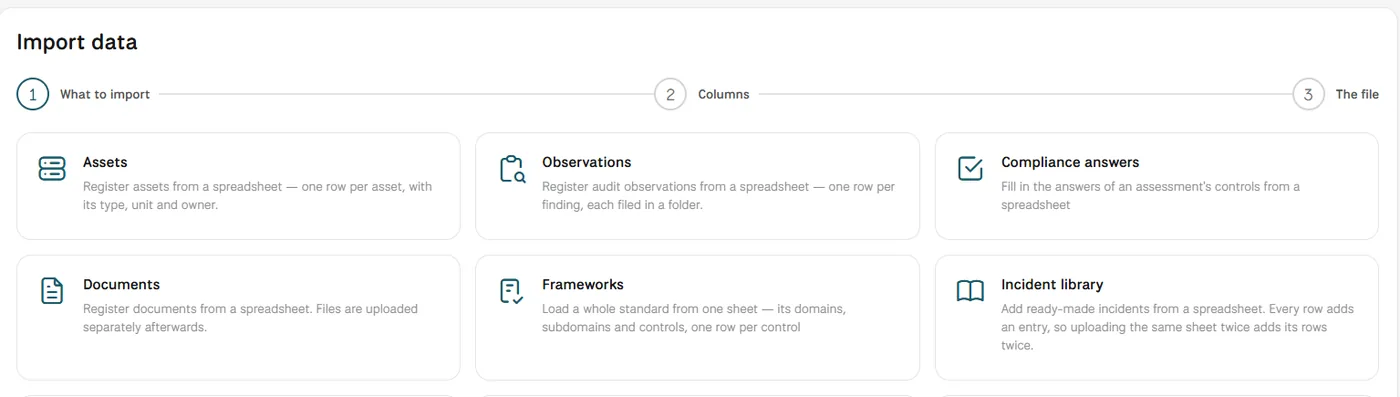
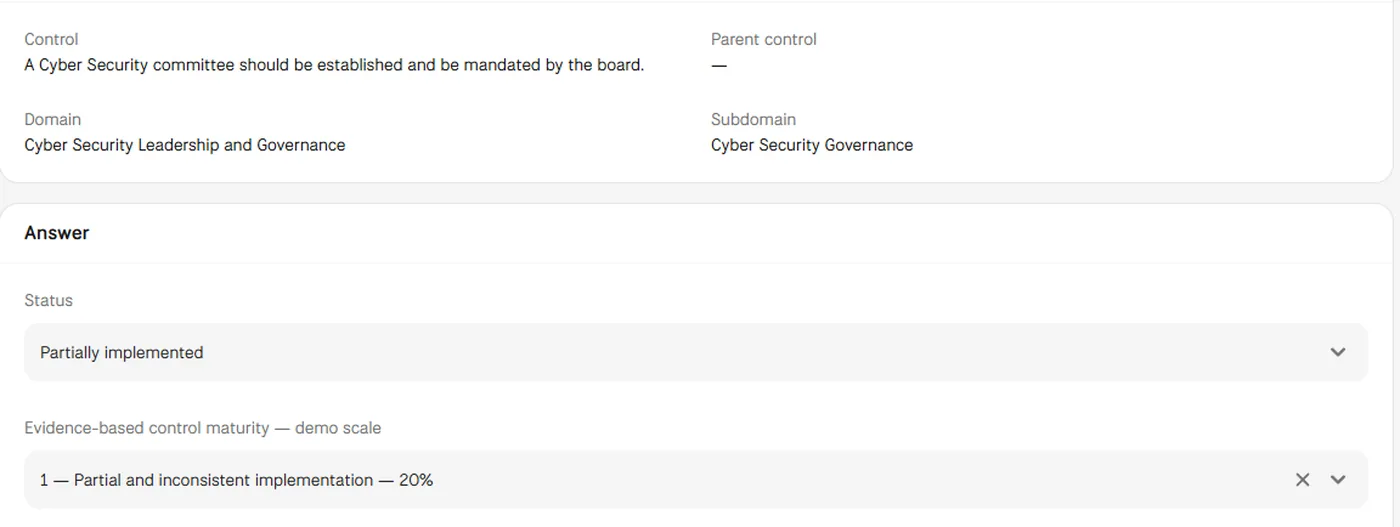
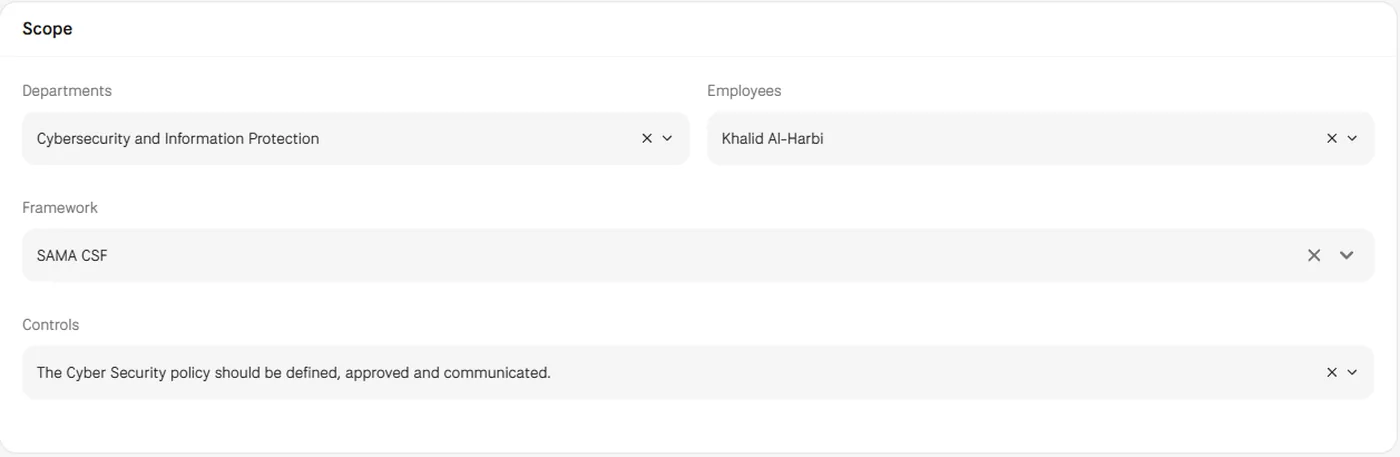
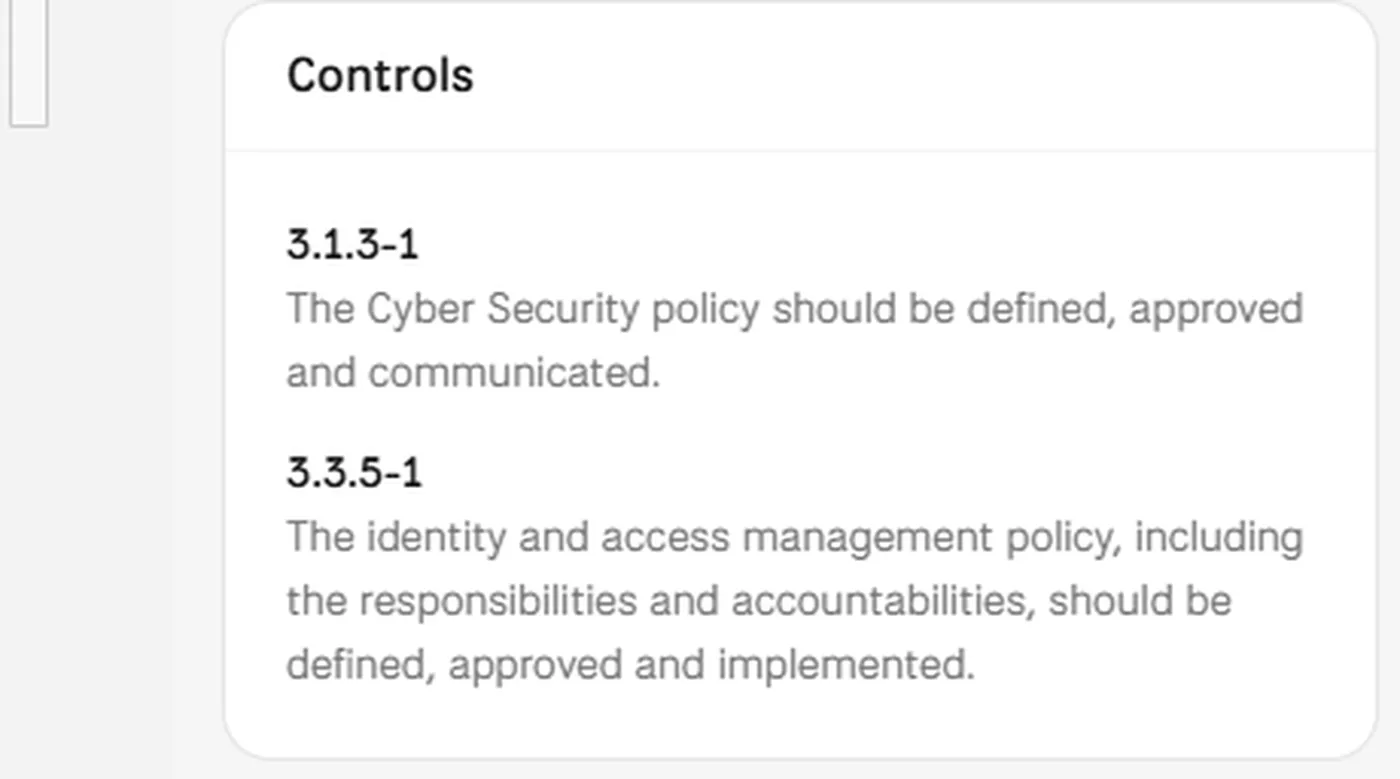
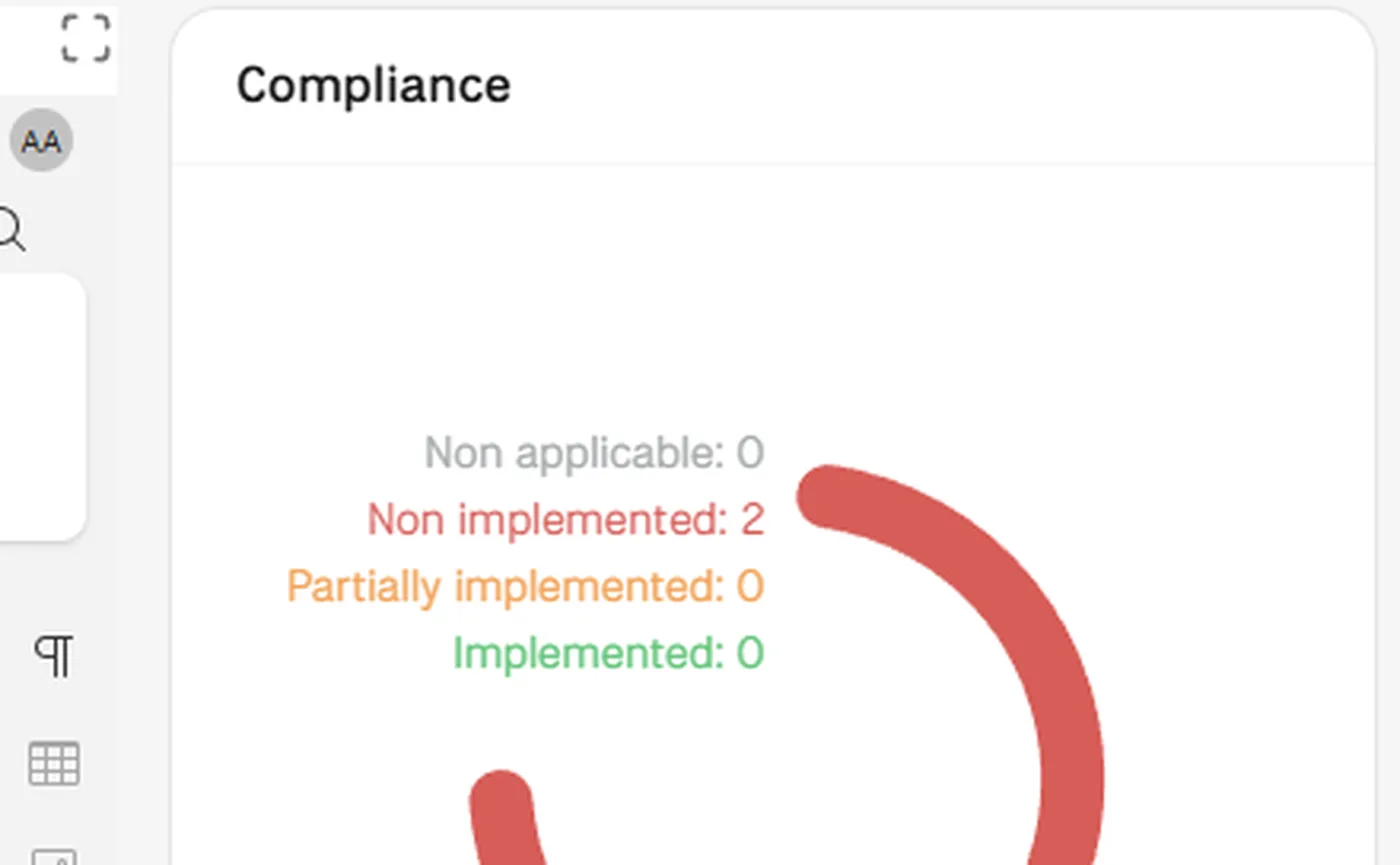
Screens from MUNTABIQ with demo data.
Each document shows the controls it supports, and each control has a clear place in its framework.
A policy linked once counts as evidence for every control it covers, instead of being collected again for each request.
The link between a document and its controls is kept on the document itself, where anyone with access can check it.
Sees which policies support which controls, and how those controls stand, without keeping a separate matrix.
Loads the frameworks the organization follows and keeps the links between documents and controls in one place.
Links each document to the controls it supports and checks their status from the document page.
No. The link shows that the document supports the control and counts as evidence for it. Each control still has its own status and evidence-based maturity level, answered by its owner in the assessment.
Imports includes a Frameworks option that loads a whole standard from one sheet, with its domains, subdomains and controls. Which frameworks you load, and how their controls relate to one another, is set up with you during the demo.
Yes. Every assessment is created on one framework and the domains you choose, so each framework keeps its own controls, statuses and due dates, and the compliance dashboard shows compliance by framework.
Request a demo and we will show you these steps with the frameworks and policies you work with.
