Audit Readiness
Bring controls, evidence, owners and assessment status into one place, so you know what is ready, what is missing and who owns it before the auditor's first request arrives.
Made for: CISO, Compliance Manager, Internal Auditor
Sounds familiar?
The auditor asks for evidence of a control, and the search begins through inboxes, shared folders and old spreadsheets. Nobody is sure whether the attached file is the approved version, or who should complete it.
The request goes to the whole team, so nobody moves until the deadline is near.
There is no single place that keeps the approved evidence with its date and who added it.
Status is pulled together by hand from several spreadsheets before every meeting.
How MUNTABIQ helps
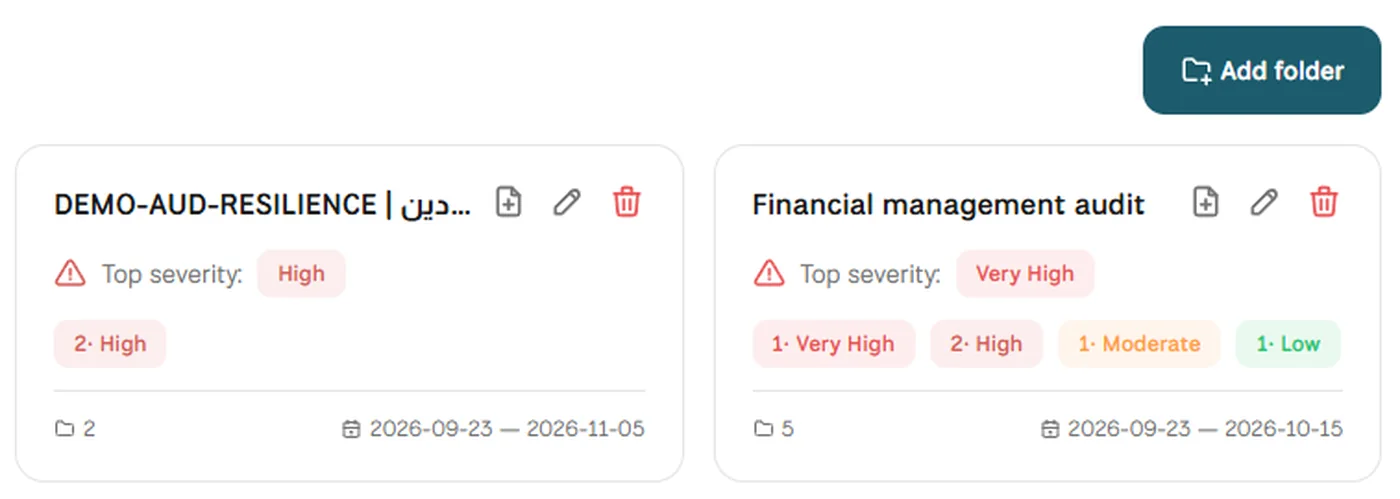
In MUNTABIQ, audit preparation becomes a structured assessment on the framework you need: every control has an owner, a defined list of required evidence and a due date. Owners upload evidence inside the control itself, every change is kept in the activity log, and the compliance dashboard shows what is done and what is overdue.
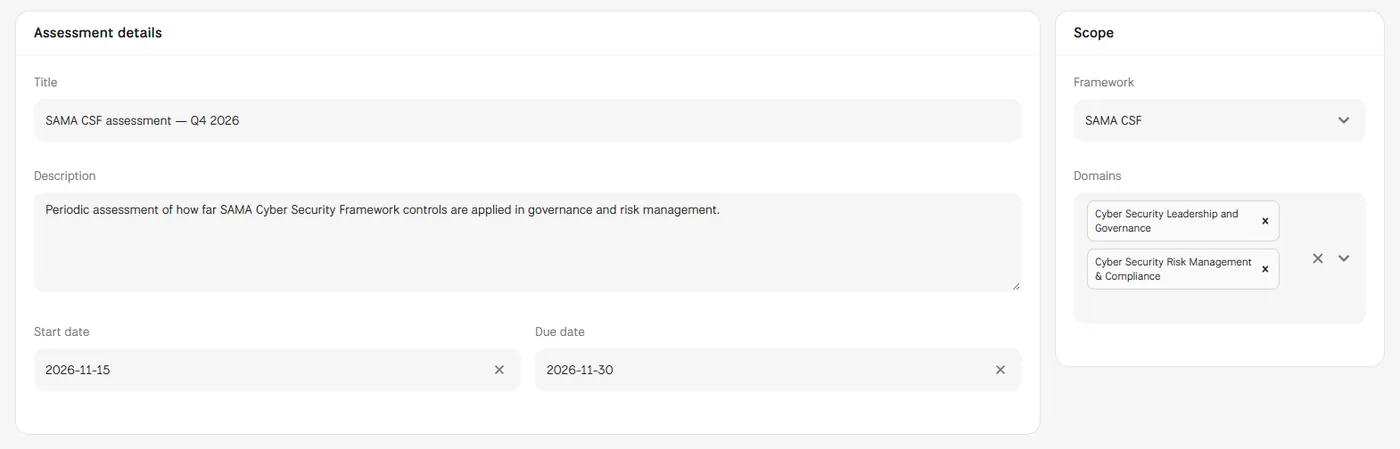
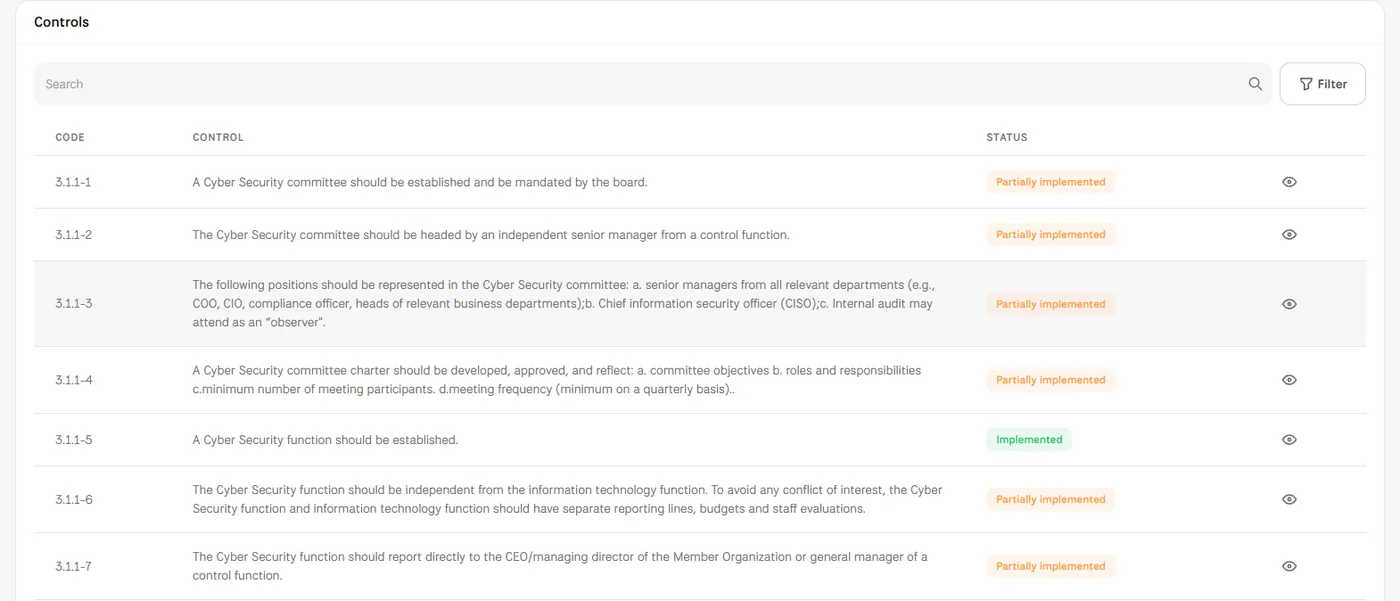
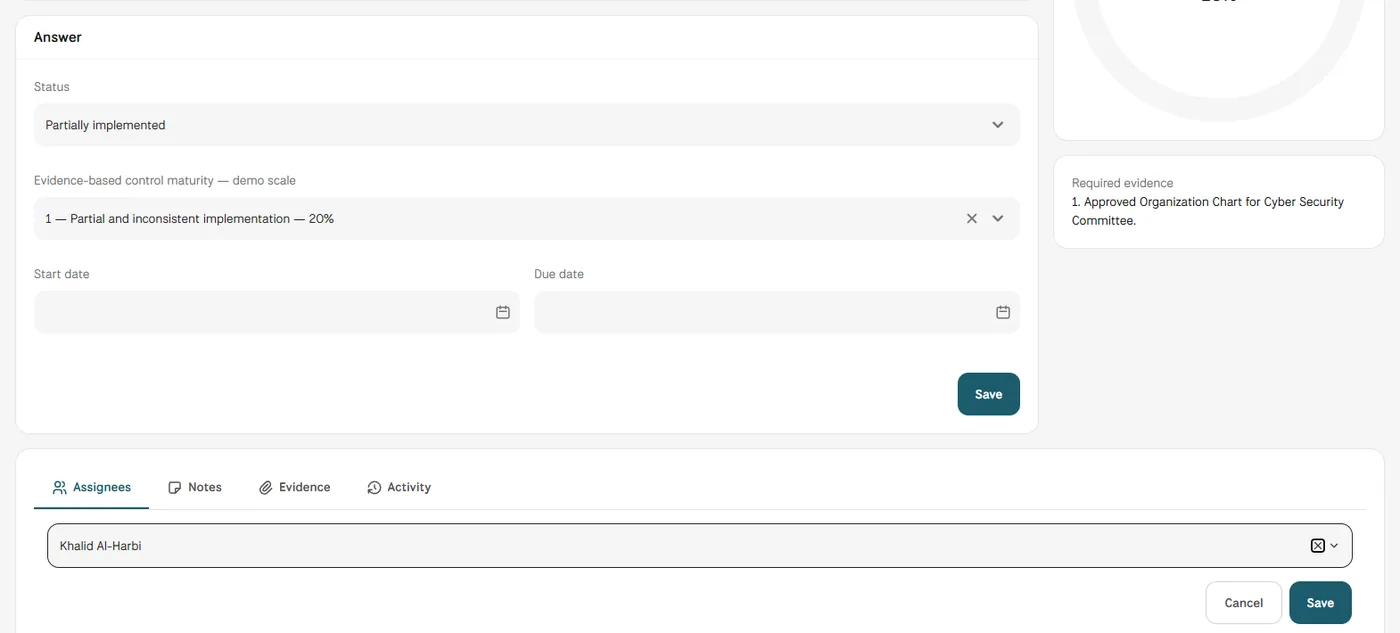
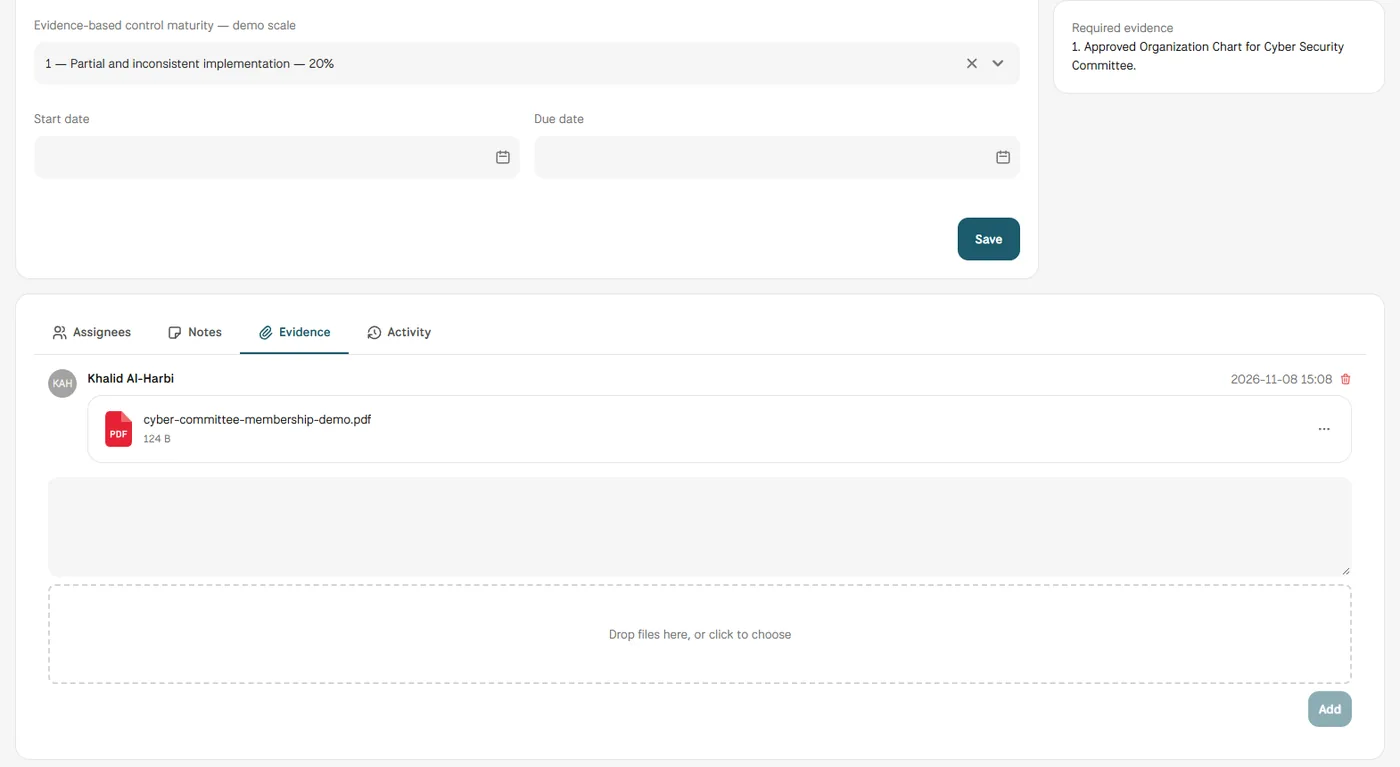
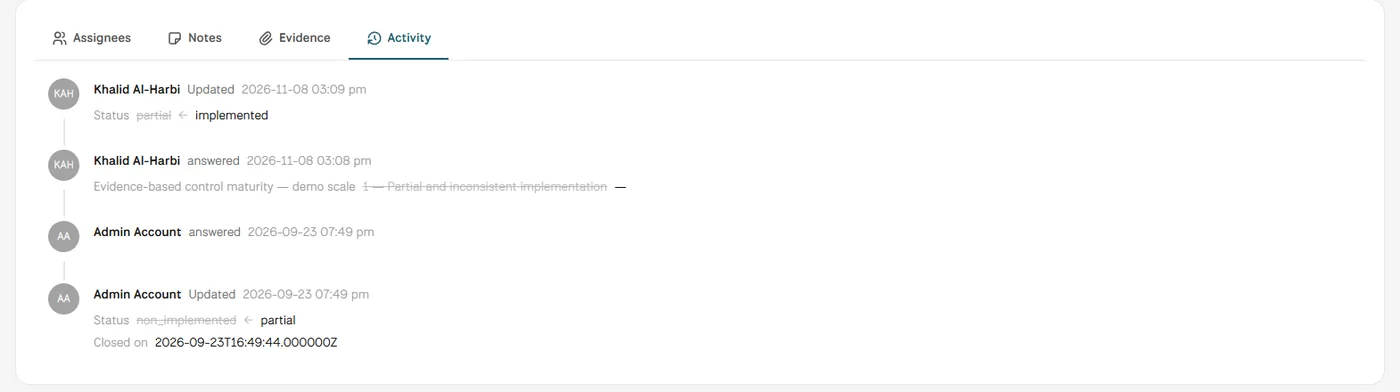
Screens from MUNTABIQ with demo data.
Every piece of evidence is kept inside the control it supports, with who uploaded it and when.
You know who is assigned to each control, its status and when it is due.
Instead of compiling spreadsheets before every meeting, you see gaps and overdue items on one dashboard.
Follows the readiness of the whole framework from one dashboard and sees where the team needs support before the audit.
Assigns controls to their owners and follows missing evidence and due dates without scattered emails.
Sees the evidence, the control status and the change history in one place before the external audit.
Yes. You upload your existing files as they are in the Evidence tab of each control, where they stay linked to it with the upload date and who added them, with no need to recreate them.
Yes. One control can be assigned to several people from different departments; each gets a notification of what is needed, and the activity log shows who added what and when.
The controls list and the compliance dashboard show the status of every control and which are overdue. What each user can see depends on the permissions you give them, and we set this up with you during the demo.
Request a demo and we will walk you through these steps on the framework you work with.
