Executive GRC Dashboard
Bring the key risk, audit, incident and document cards onto one home page, and prepare regular reports for management and committees in the format they need.
Made for: CEO, Board Committee, CISO
Sounds familiar?
The CEO asks for a quick picture of open risks and findings, and each team builds its own slides from a different source with different definitions. The meeting starts with a debate about whose numbers are right instead of the decisions on the agenda.
Numbers are collected from each department days before the meeting, and they have changed by the time leadership sees them.
Each team presents the same status its own way, so there is no agreed single picture.
What is overdue or rising in severity only shows up after digging through spreadsheets.
How MUNTABIQ helps
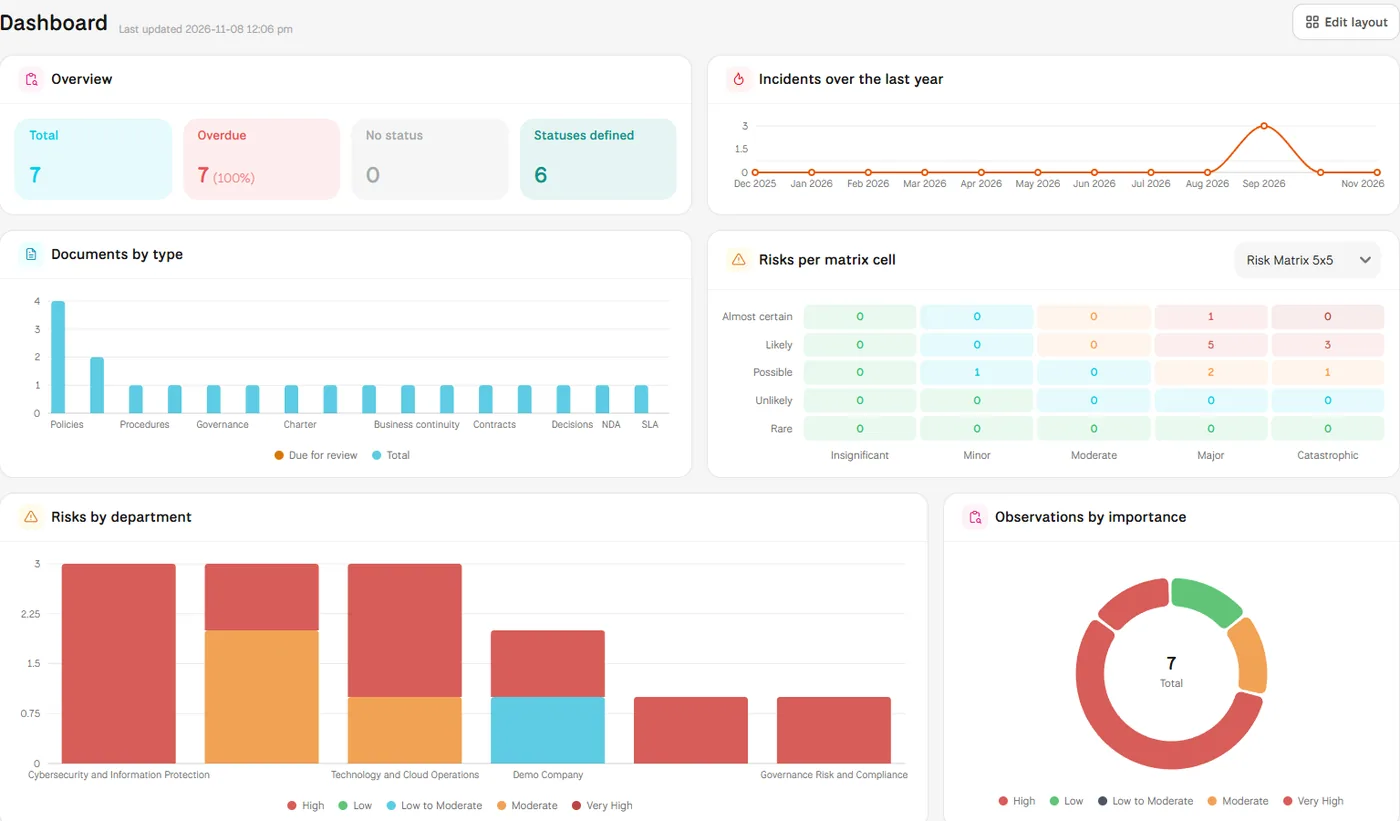
In MUNTABIQ every module has a dashboard built from its own records, such as the risk matrix, overdue risks, audit findings by importance and incidents over the last year. You pick the cards that matter to leadership and add them to the home page, and the Reports module builds a report on the module you need in PDF, HTML, Excel or CSV, with recipients and a schedule when needed.
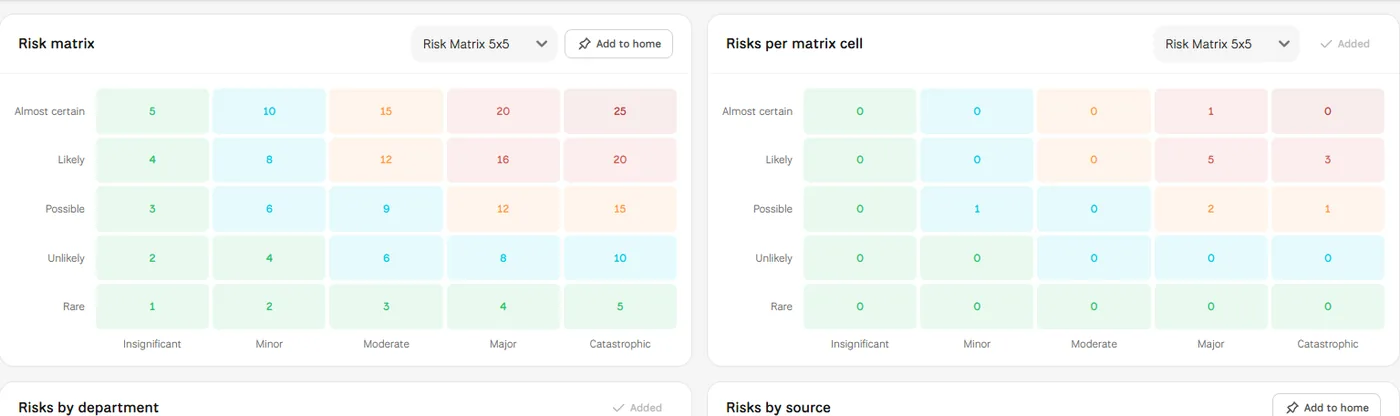
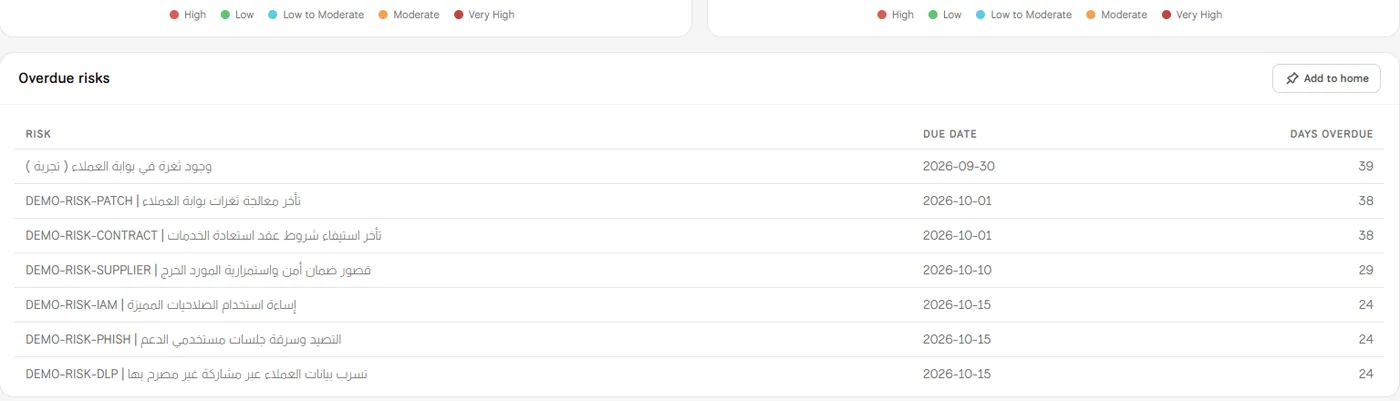
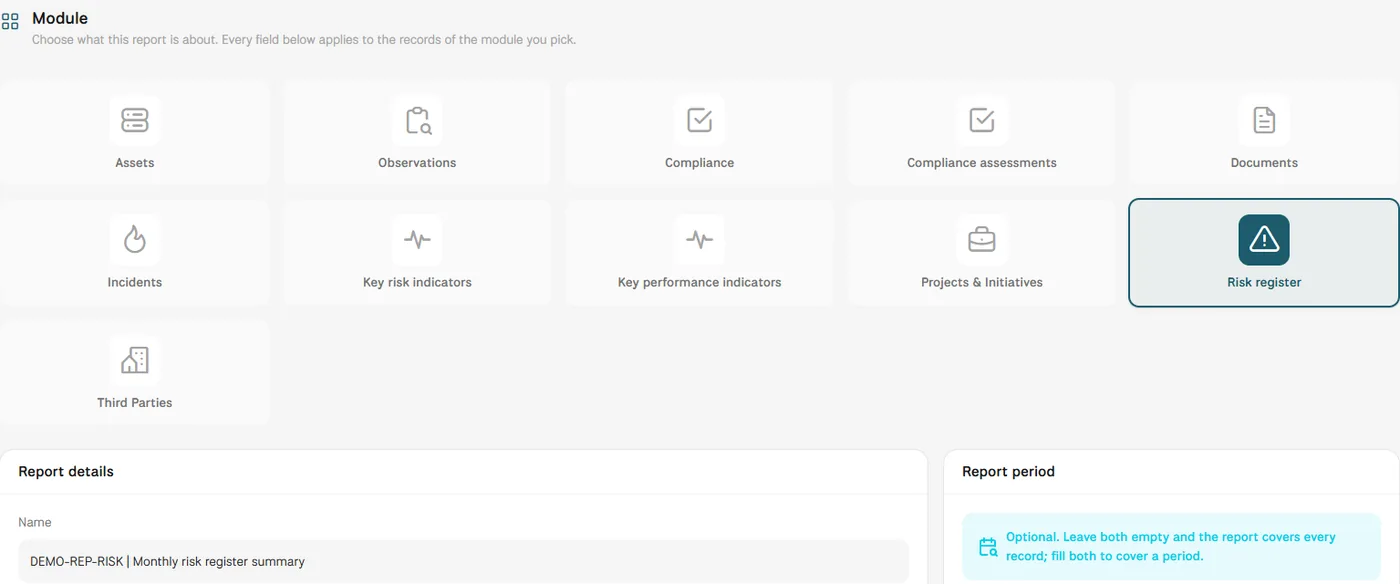
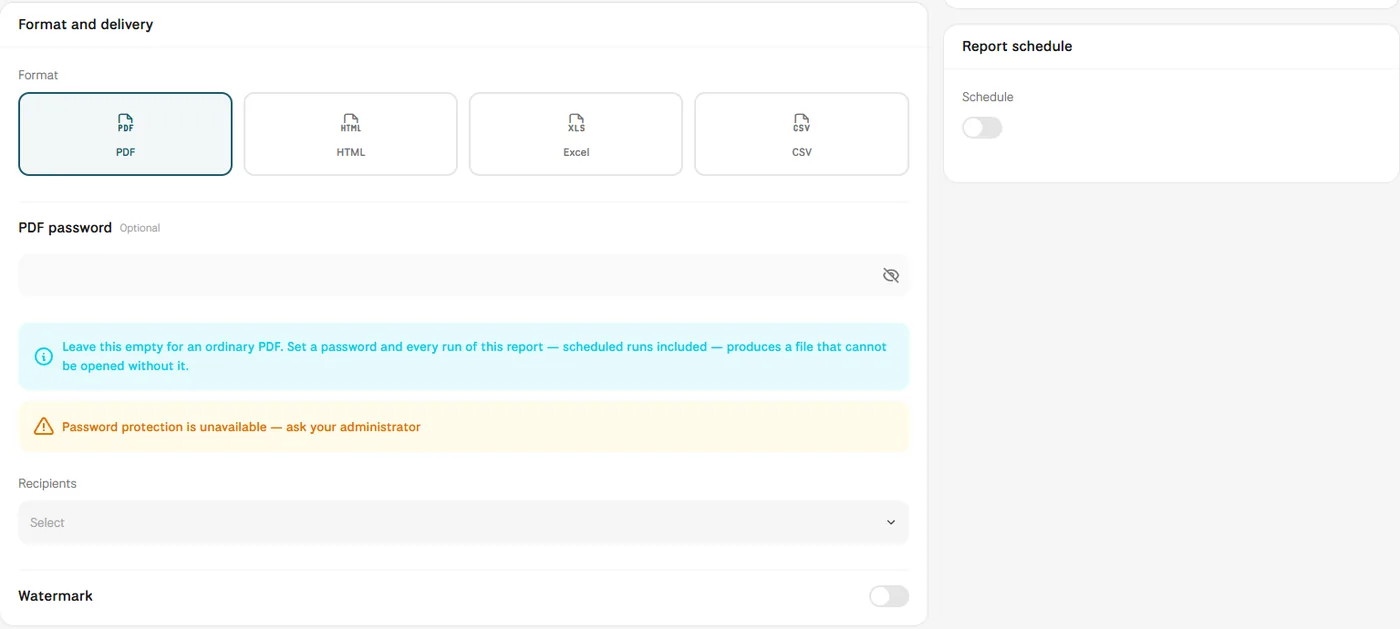
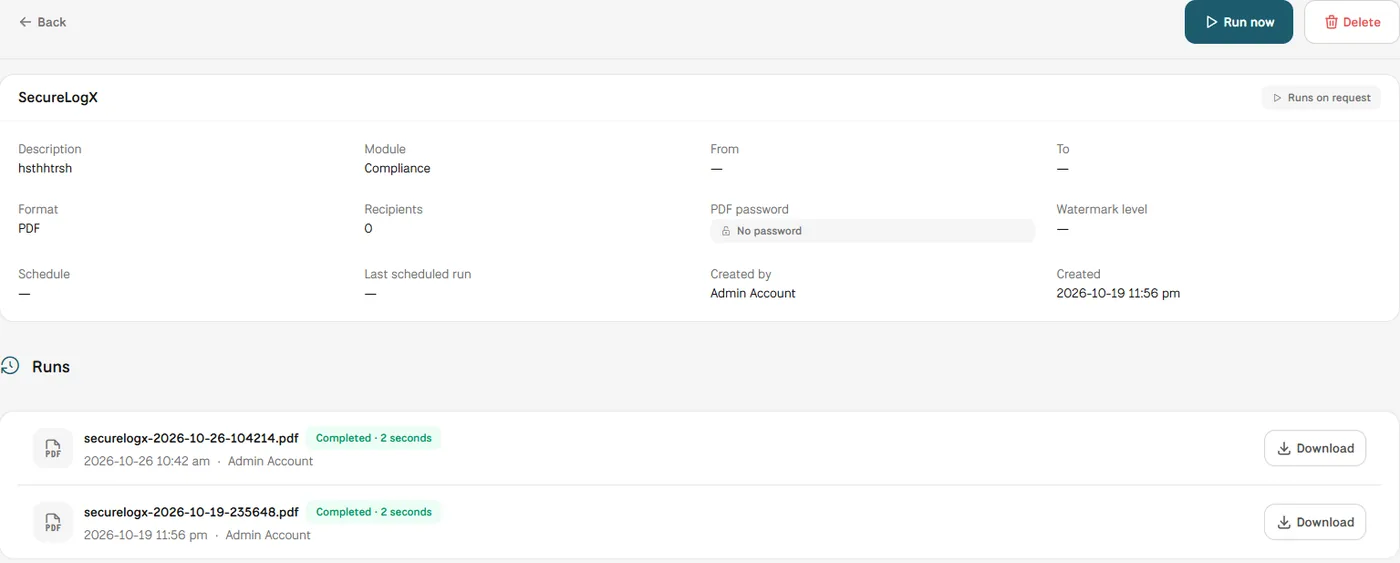
Screens from MUNTABIQ with demo data.
Home page figures come from the module records themselves, not from spreadsheets each team prepares separately.
A report is built once on the module you need, then run or scheduled whenever you need it.
Overdue tables and the risk matrix bring forward what needs a decision or escalation.
Sees the key risk, audit and incident cards on one page and walks into the meeting knowing what needs a decision.
Receives regular reports in a consistent format on the area it oversees, such as the risk register or audit findings.
Chooses the cards that show the risk and compliance position and prepares the report for leadership without manual compiling.
Each user has their own home page and adds cards to it from the module dashboards, so the CEO can see a different view from the CISO. What each user can open depends on their role and permissions, which we set up with you during the demo.
Yes. The Indicators module keeps KPIs and KRIs with their periodic readings, and both are available as report modules, so they can go into the same management report.
The overdue tables on the dashboards name each record with its due date and days overdue, and every record has its own page in its module showing its owner, status and activity. In the demo we review with you what each management level needs to see.
Request a demo and we will show you how the home page and management reports are built from your risk, audit and compliance records.
