Enterprise Risk Management
Record each risk with its source, owner and threat, see its inherent and residual level from impact, likelihood and existing controls, and follow the treatment until it is approved.
Made for: Risk Manager, CISO, Risk Owner
Sounds familiar?
Each department keeps its own risk list in a different format. When management asks which risks are above appetite and who is treating them, the answer takes days of emails, and the scores still ignore the controls added since the last review.
Every team scores risks its own way, so the levels do not match across departments.
Actions are agreed in a meeting, then nobody follows whether they were done.
The risk level stays the same even after controls are added or improved.
How MUNTABIQ helps
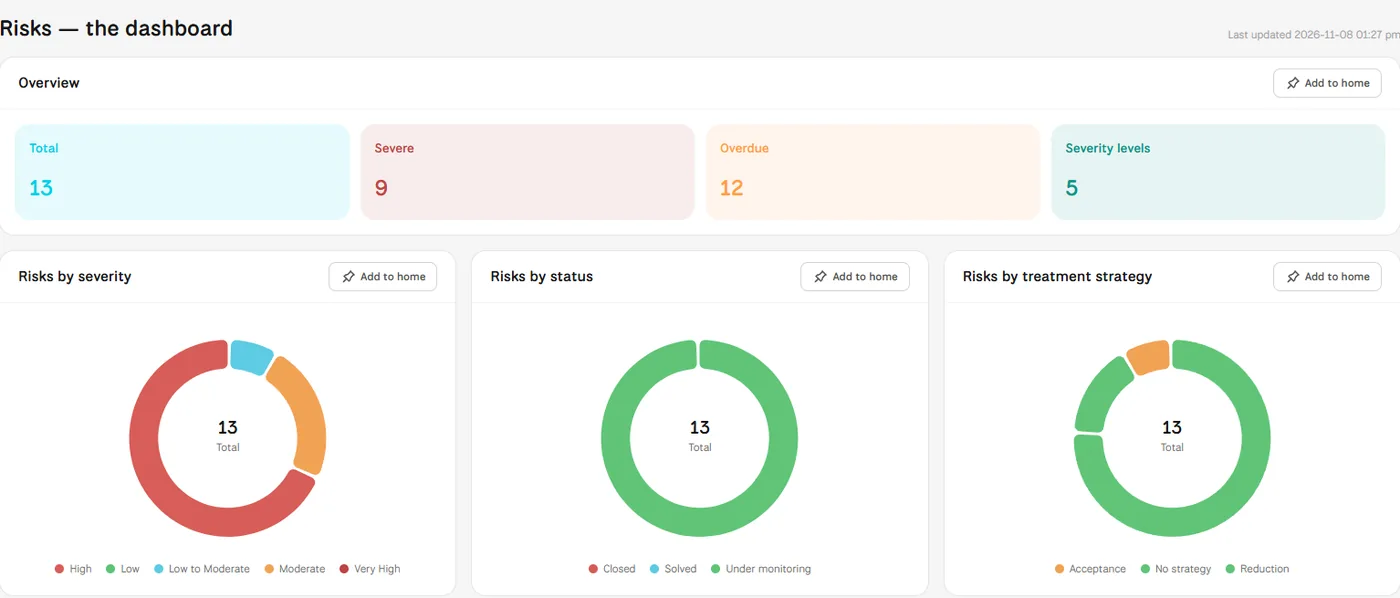
MUNTABIQ keeps every risk in one register, linked to the asset, audit or third party it came from. Impact and likelihood give the inherent risk, the effectiveness of existing controls gives the residual risk, and the assignee submits a treatment plan that shows the revised risk before a manager approves it. The risks dashboard brings severity, status and treatment strategy together.
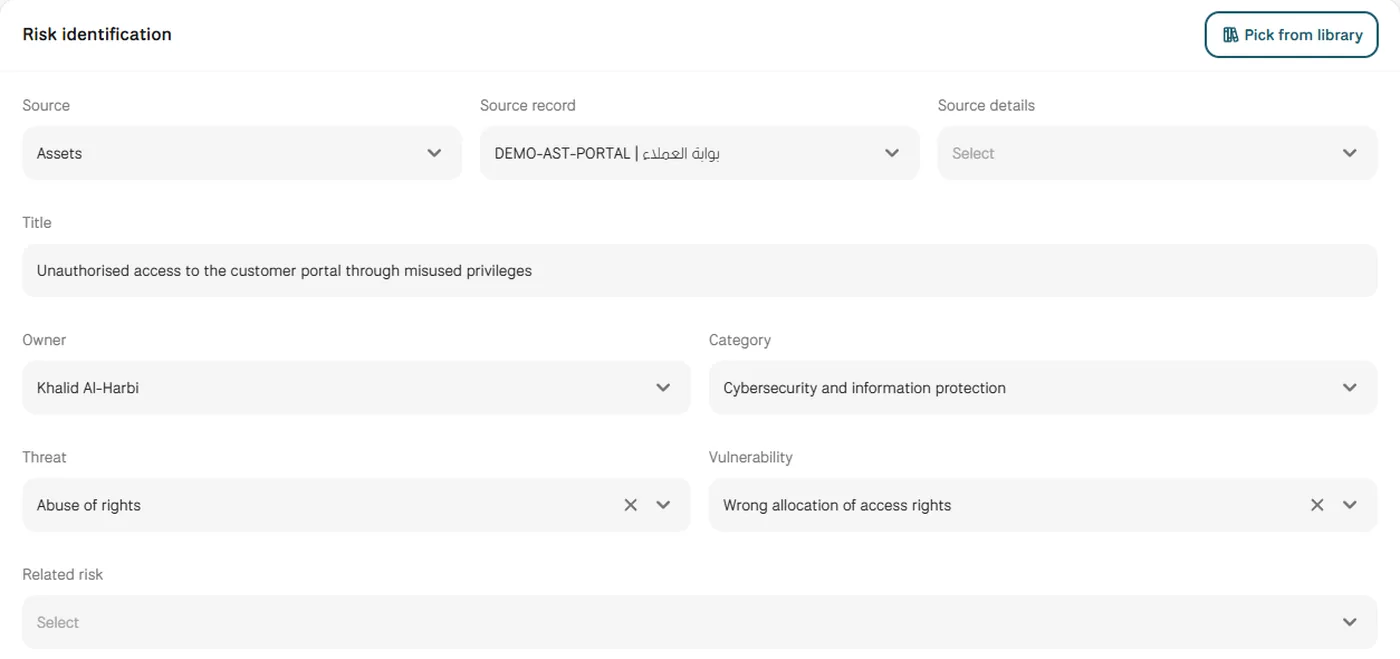
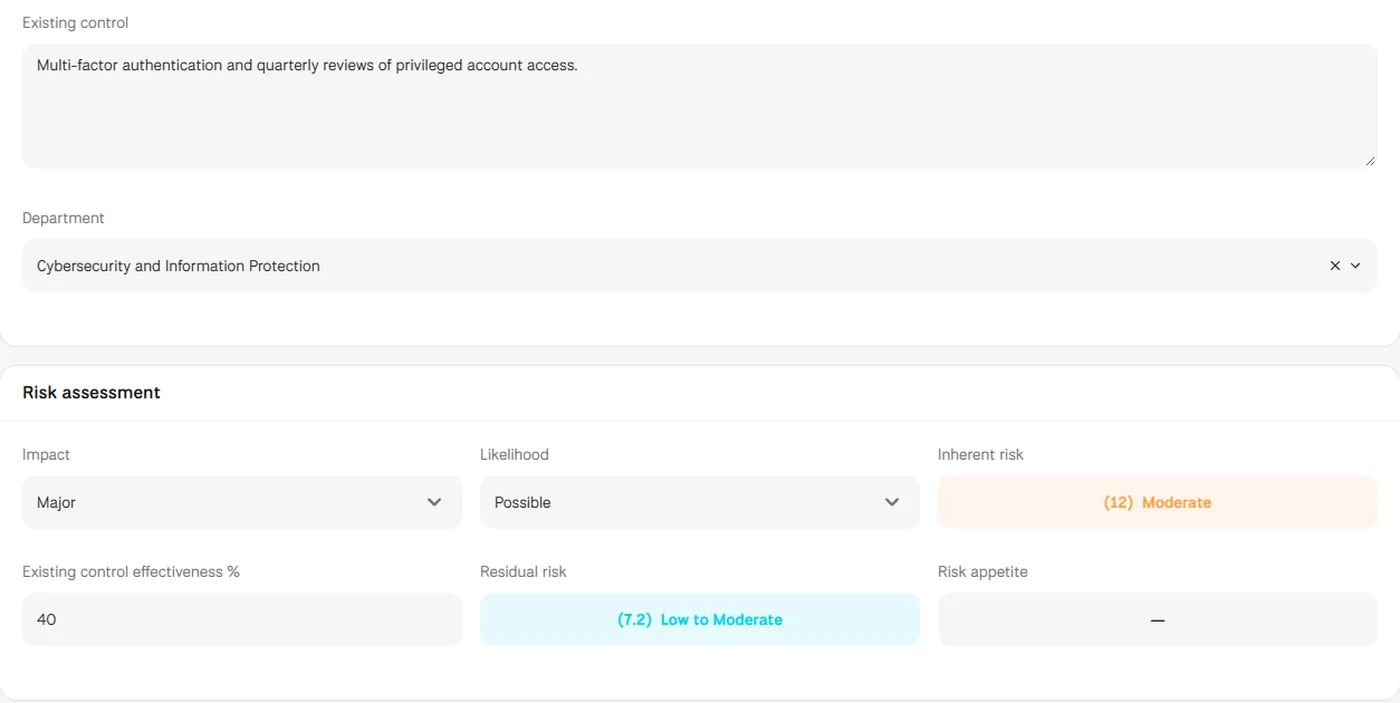
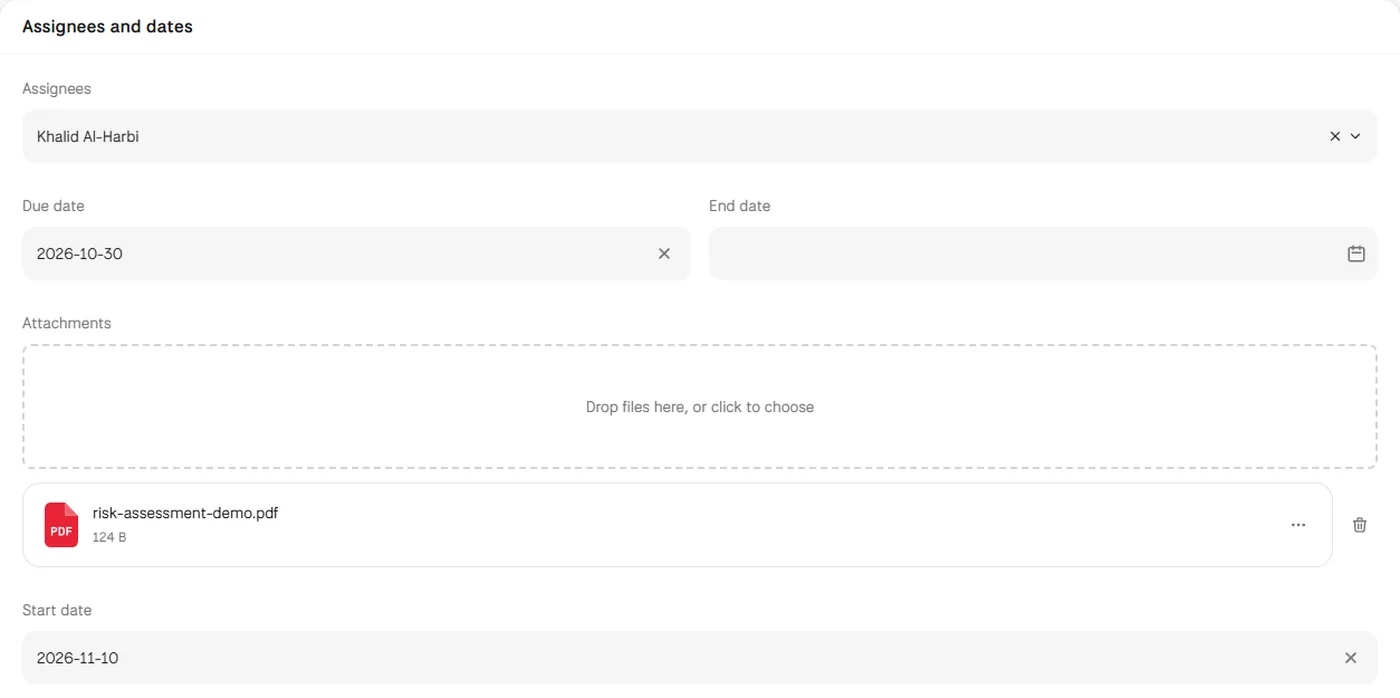
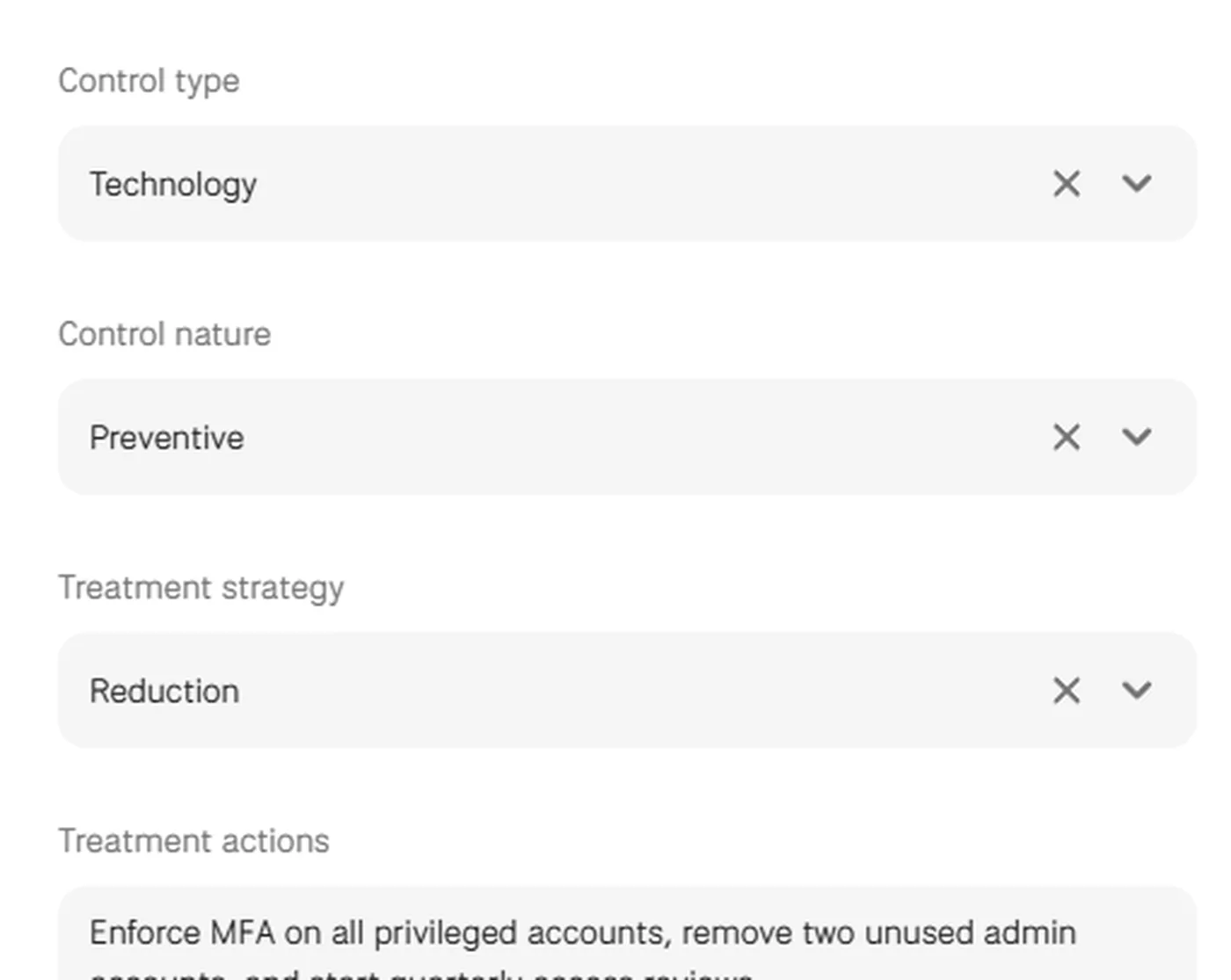
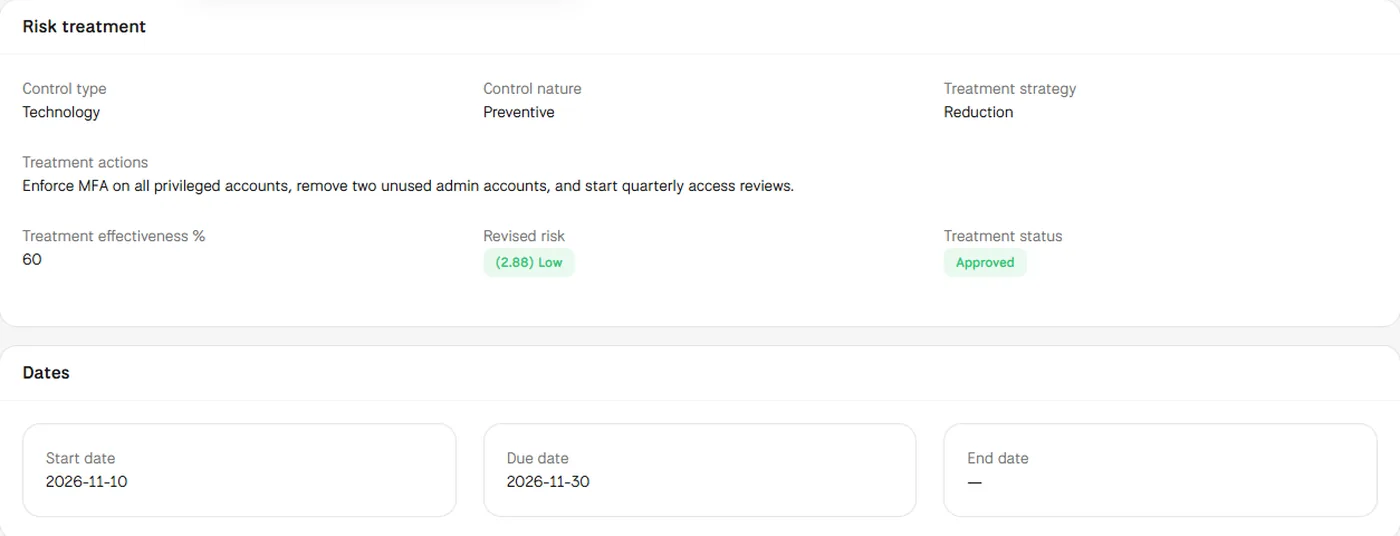
Screens from MUNTABIQ with demo data.
All risks are scored with the same impact and likelihood options, so their levels can be compared.
Every risk has an owner, assignees and a due date, and the treatment is recorded by the person responsible for it.
Inherent, residual and revised risk sit on the same record, so you see how controls and treatment changed the exposure.
Keeps one register with a consistent method, and reviews and approves the treatments that owners submit.
Follows risks by severity, status and treatment strategy on the dashboard and sees which ones need attention.
Receives the assigned risk, submits the treatment plan and sees the revised risk before sending it.
Impact and likelihood options, together with categories, threats and vulnerabilities, are managed in Settings, and the dashboard shows your risks on the risk matrix. We go through your current methodology with you in the demo and show how it maps to these settings.
Yes. Each risk shows the inherent risk from impact and likelihood, the residual risk after existing controls and, once a treatment is submitted, the revised risk. All three appear on the same risk record.
Yes. The assignee submits the treatment from the risk page, it stays pending approval until a manager approves it, and the risk keeps its details, status and dates. The dashboard also lists overdue risks with their days overdue.
Request a demo and we will walk you through these steps using risks similar to the ones your teams manage.
