Audit Findings & Remediation
Record each finding with its source and severity, give it an owner, a department and a due date, and follow the corrective action and its evidence until the closure is approved.
Made for: Head of Internal Audit, Audit Manager, Action Owner
Sounds familiar?
The report is delivered and the closing meeting ends, then the findings scatter across spreadsheets and emails. Months later the auditor asks about a high-severity finding, and nobody can say whether it was really fixed, who fixed it, or where the proof is.
The finding goes to a whole department, so nobody takes responsibility for closing it.
Nobody notices the delay until it comes up at the audit committee.
A finding is closed with a line in an email, and nothing is left to show the fix at the next review.
How MUNTABIQ helps
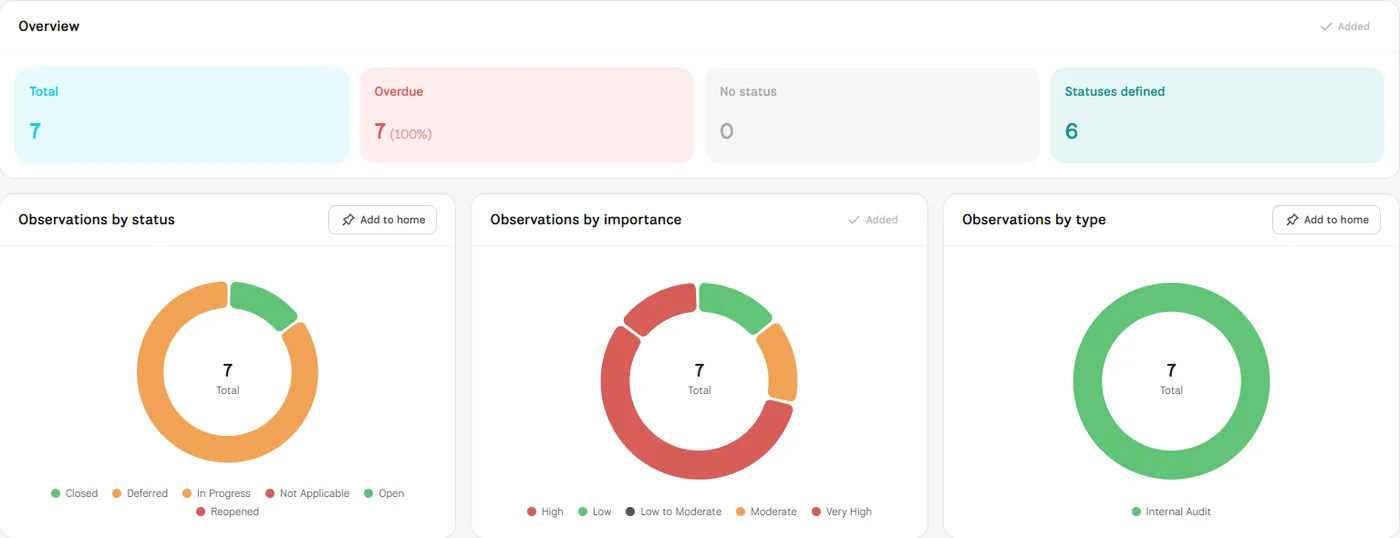
In MUNTABIQ, each audit keeps its findings, recorded as observations, in its own folder. Every finding is linked to a source such as a risk or an asset, and has a severity, a department, an owner and a due date, with a separate extended due date when needed. The owner writes the corrective action and uploads proof in the finding itself; the action stays pending approval until it is reviewed and approved, and the audits dashboard lists overdue findings with their days overdue.
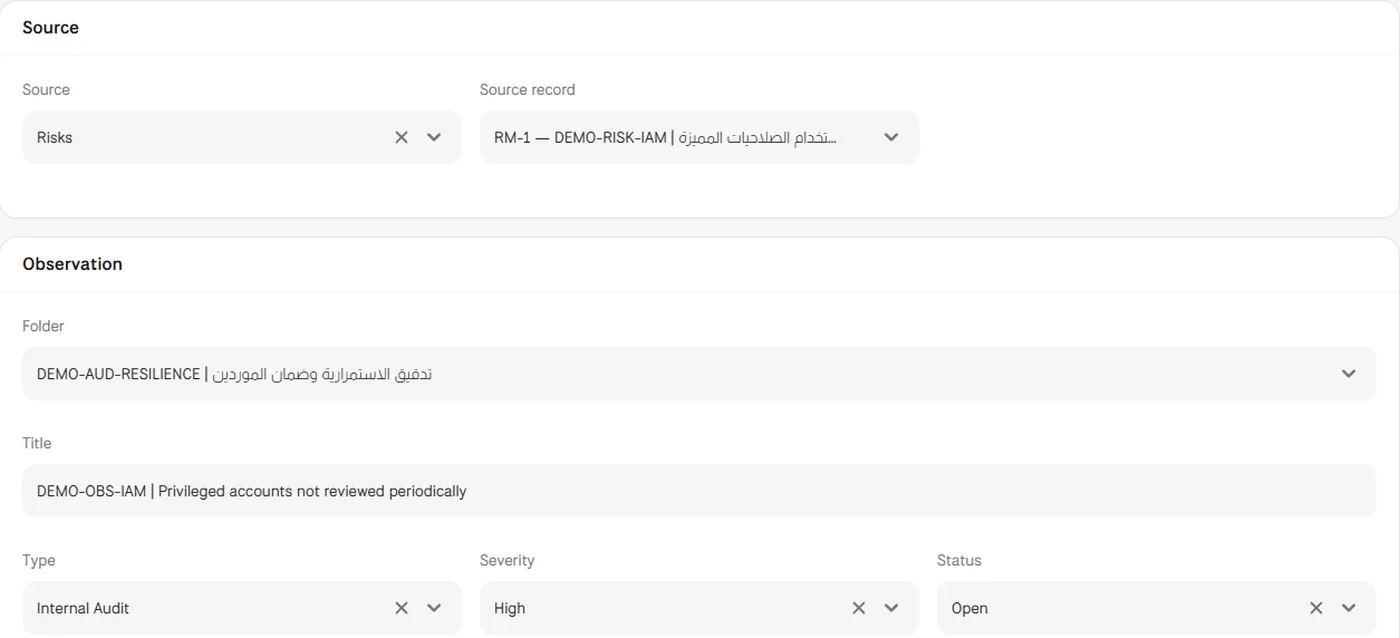
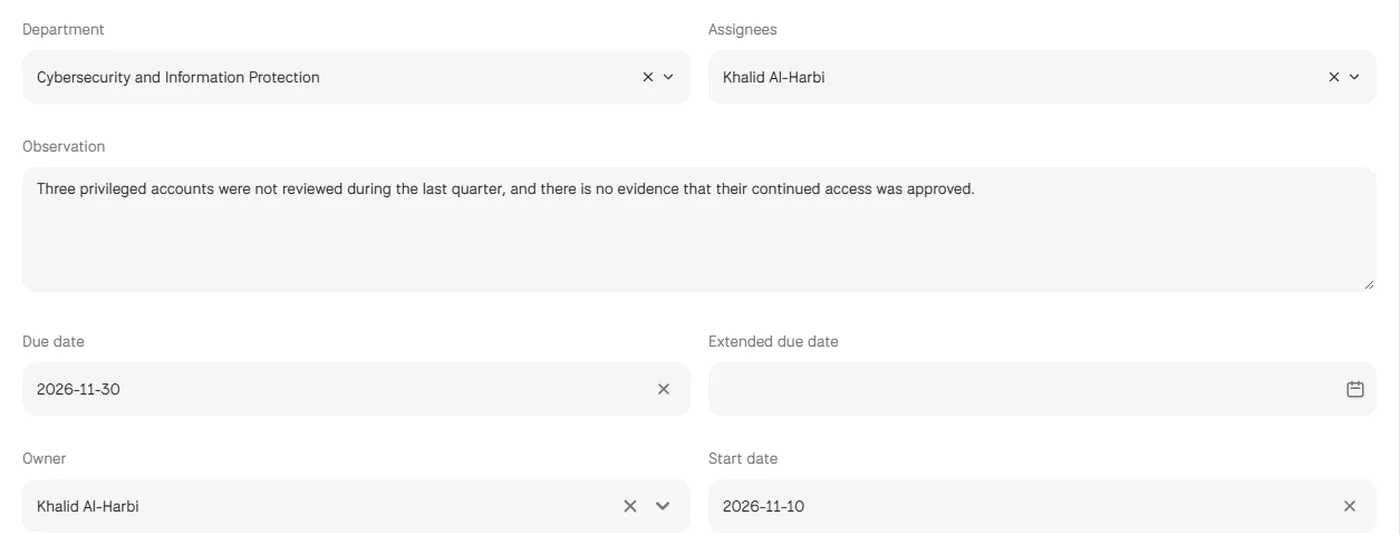
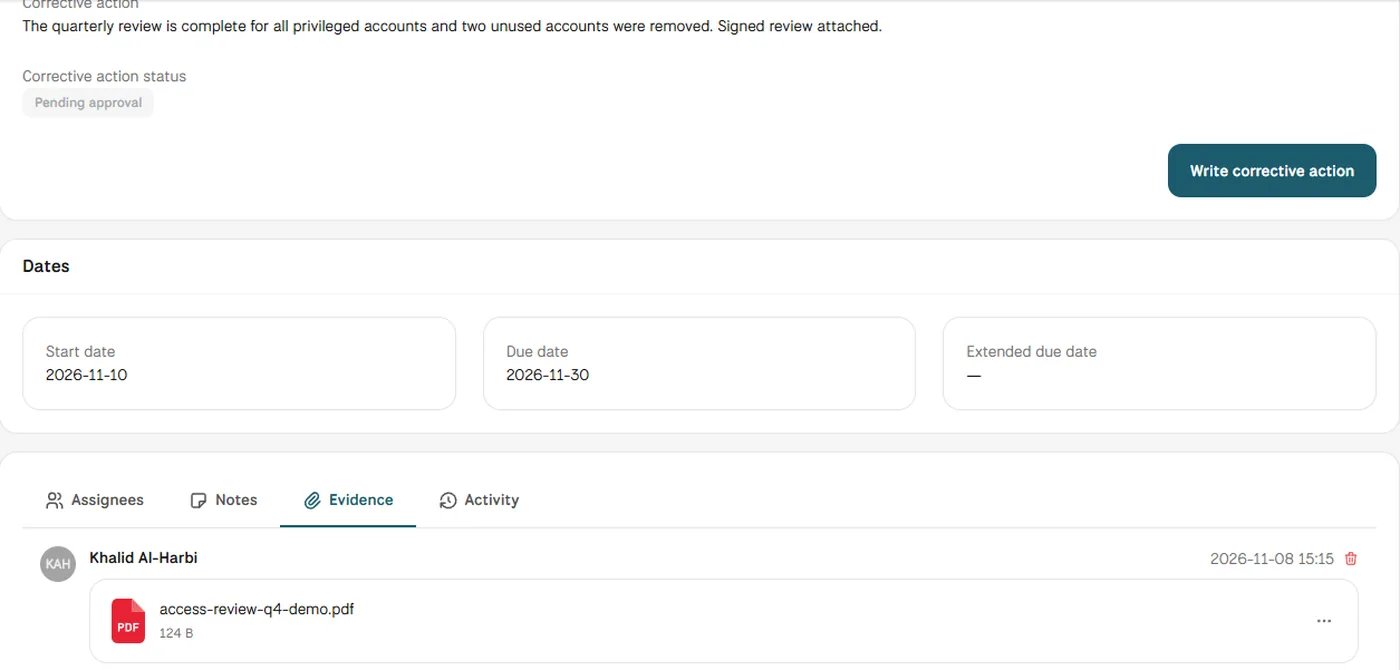
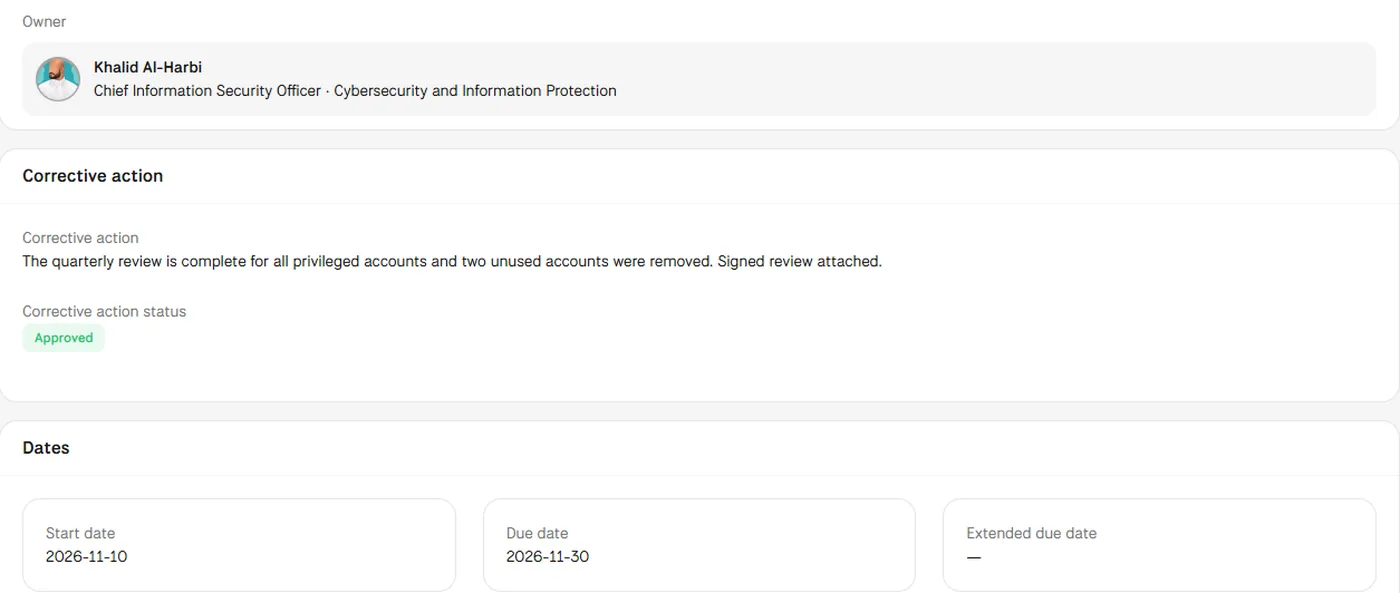
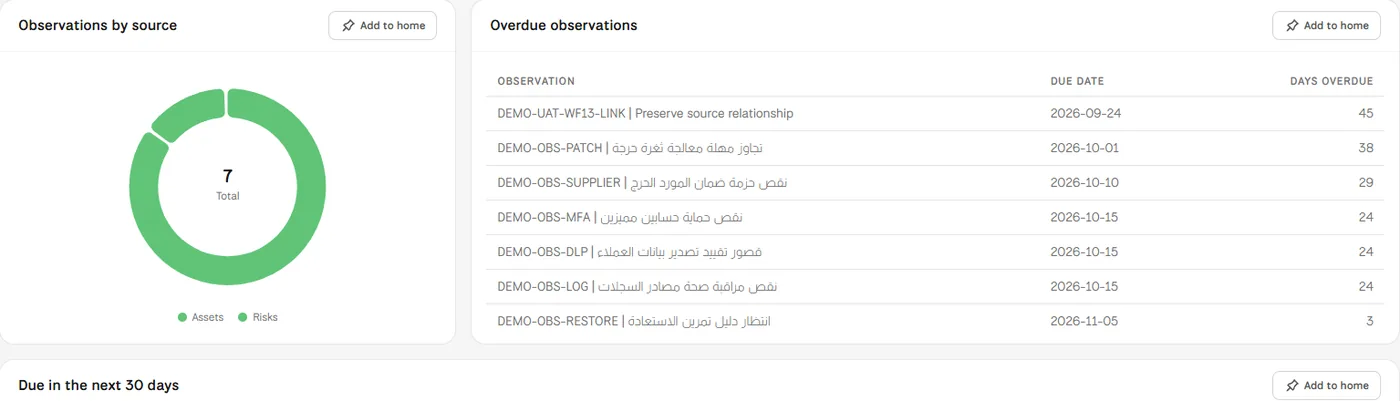
Screens from MUNTABIQ with demo data.
You know who is responsible for each finding, in which department, and when it is due.
The corrective action, its evidence file and its approval stay inside the finding itself.
The overdue table shows the days overdue for each finding, so you know what needs escalation.
Follows findings from every audit, with their status and severity, on one dashboard and sees what is overdue before the audit committee meets.
Records findings and assigns them to their owners, then reviews each corrective action and its evidence before approving it.
Gets a notification of what is expected, then writes the action and uploads the proof in one place instead of trading emails.
Yes. Each observation has a department, an owner and a list of assignees, so every finding goes to the department it concerns. The audits dashboard also shows findings by department.
Yes. The owner uploads the evidence file in the Evidence tab of the observation, where it is shown with who uploaded it and when, next to the corrective action and its approval status.
Yes. The audits dashboard lists overdue observations with their days overdue, and those due in the next 30 days. You can also build a report on observations in the Reports module, in PDF, HTML, Excel or CSV.
Request a demo and we will show you how a finding is recorded, assigned, fixed and approved for closure.
