Policy & Document Lifecycle
Manage each policy with its version, status, classification and review date in one register, and know which employees have confirmed they read it.
Made for: Governance Manager, Policy Owner, Compliance Team
Sounds familiar?
An employee follows a policy file saved on their laptop two years ago. The governance team has a newer draft, the published PDF is somewhere else, and there is no record of who was asked to read it.
Word drafts and PDF copies circulate separately, with no single record of the current version.
Nobody knows who is responsible for updating the policy or when it is due for review.
It is hard to show which employees received the policy and confirmed reading it.
How MUNTABIQ helps
MUNTABIQ gives every document type its own register, from policies and procedures to standards and charters. Each record holds the version, status, classification, language and review date, the editable Word file and the published PDF, and the departments and employees it applies to. When a policy requires acknowledgment, employees in scope are notified and confirm they have read it, and the Documents dashboard shows what is due for review.
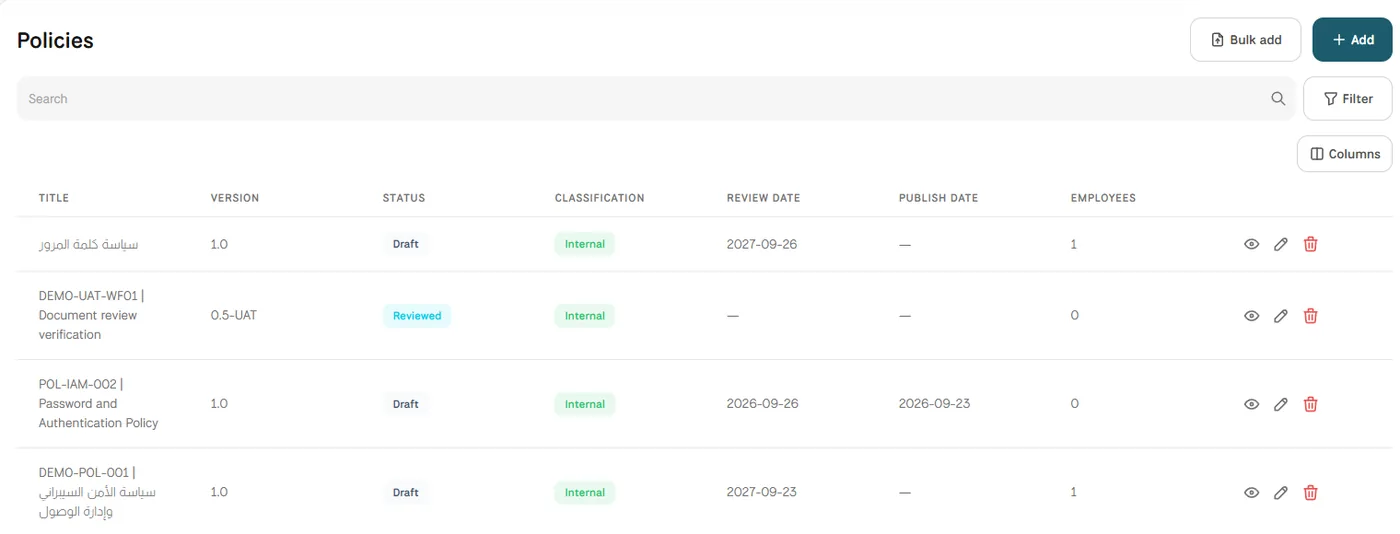
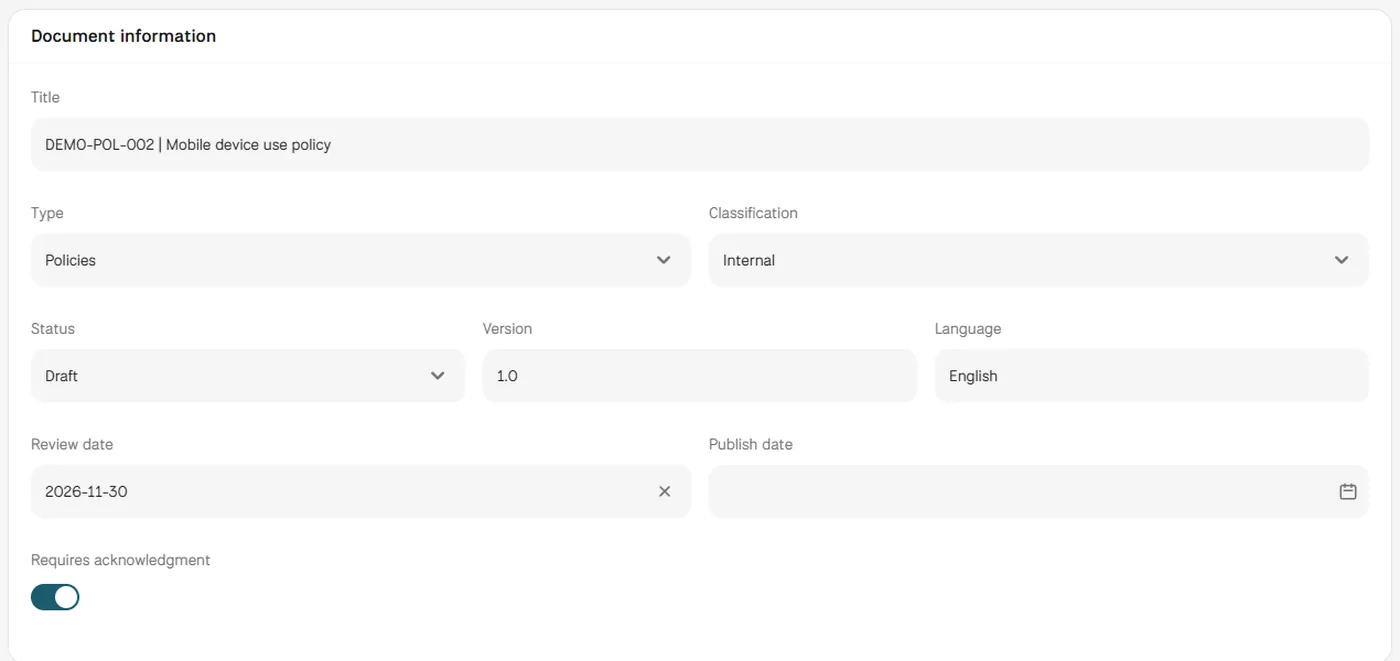
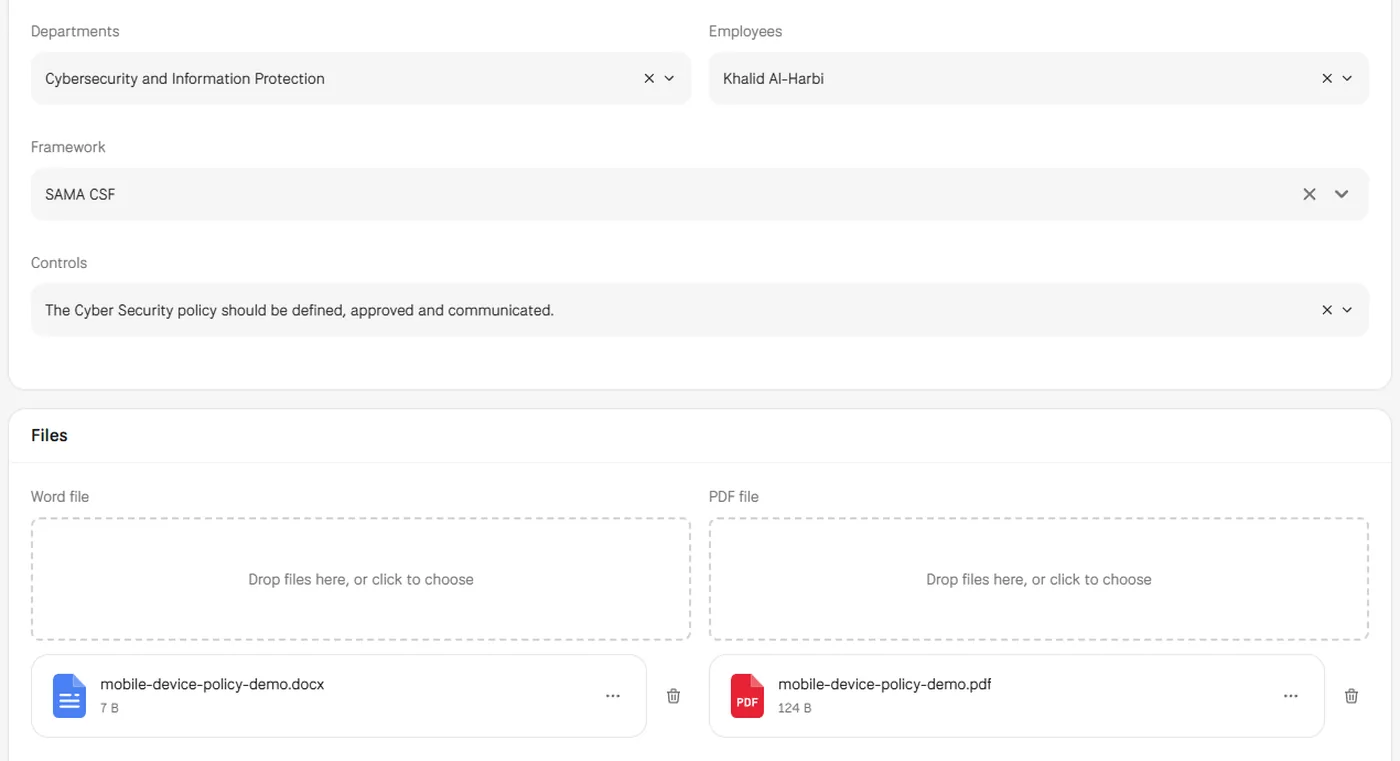
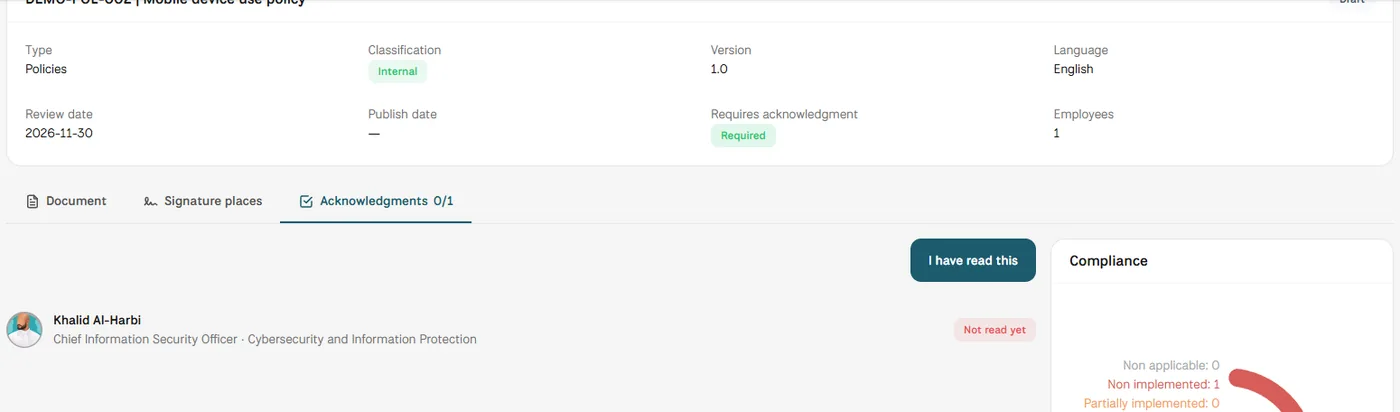
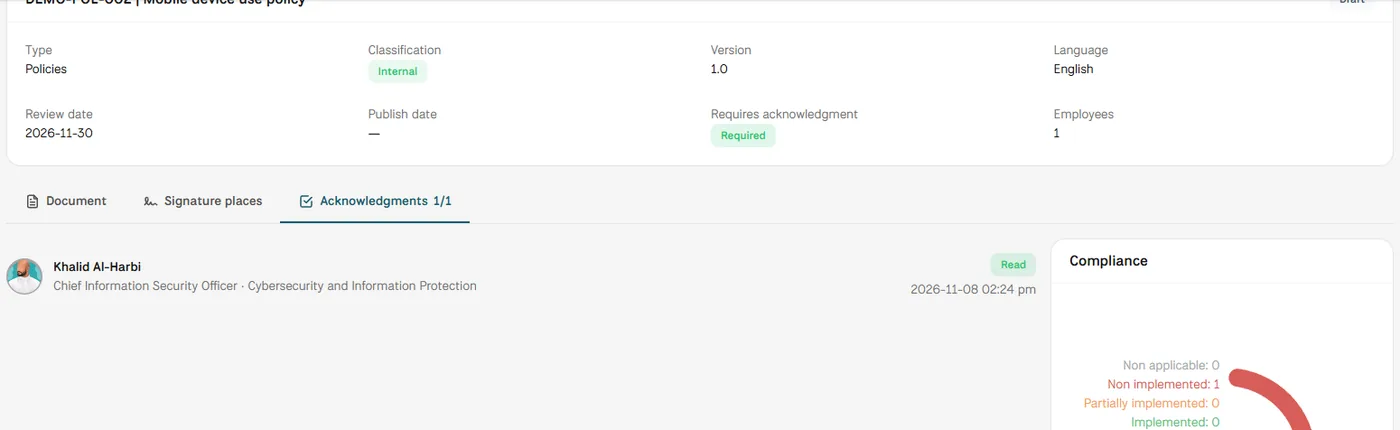
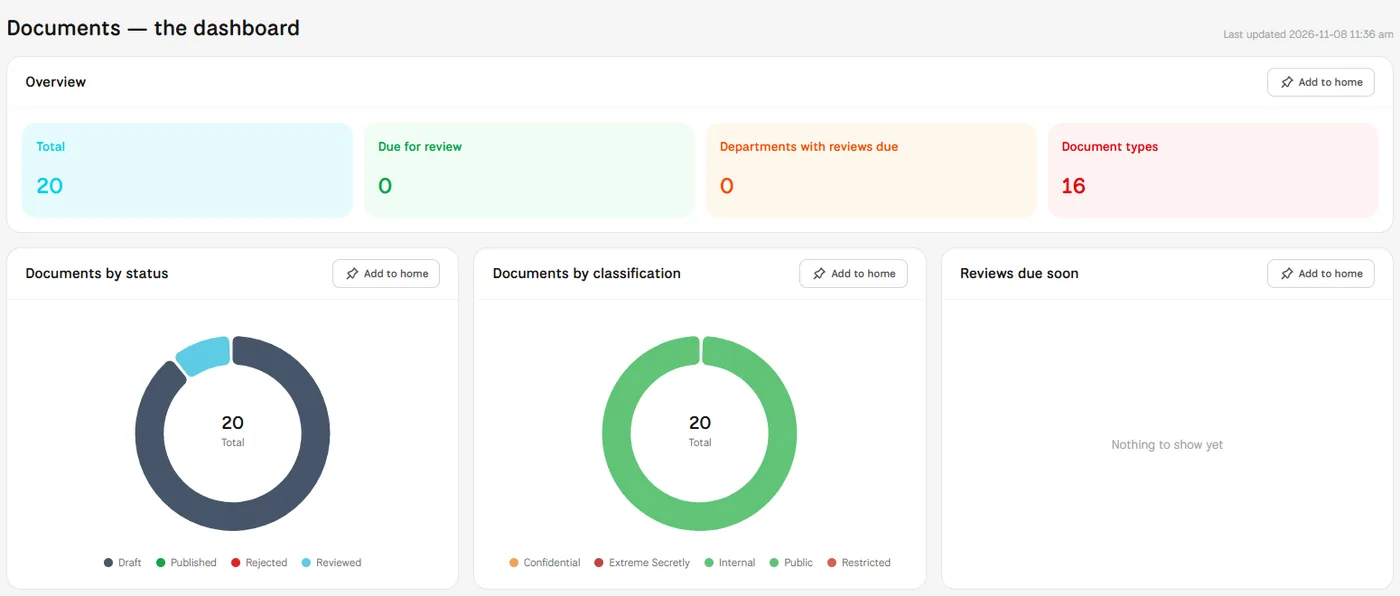
Screens from MUNTABIQ with demo data.
Policies, procedures, standards and other types each have their own list with version, status and review date.
The Documents dashboard counts documents due for review and the departments with reviews due.
You see which employees have read the policy and when, instead of relying on email replies.
Keeps the document library organized by type and follows review dates and status from the dashboard.
Updates the policy, uploads the new files and knows exactly who it applies to.
Links policies to framework controls and shows that staff in scope have acknowledged them.
Each document carries a version number and a status, which includes Archived, and the register shows the version of every record. The document page also has an Activity tab. We agree with you in the demo how earlier versions should be kept in your library.
Yes. The document page has an Assignees section where you add the people responsible for it, and each document has a review date. The Documents dashboard shows documents due for review and the departments with reviews due.
Yes. In the Scope section you choose a framework and the controls the policy supports. The document page then lists those controls and shows their compliance status.
Request a demo and we will walk you through creating, publishing and tracking a policy with your own document types.
