Third-Party Risk Management
Keep every third party in one register with its classification and primary contact, issue due diligence questionnaires with due and reassessment dates, and see which vendors have never been assessed.
Made for: Third-Party Risk Officer, Procurement, CISO
Sounds familiar?
Procurement holds the contract, IT knows the service, and the security team emails a questionnaire when there is time. When someone asks which critical vendors have not been assessed this year, nobody has the full list.
Each team knows its own suppliers, but no single register holds them with their classification and contact.
Nobody can tell which assessment is still open, what was answered or when it is due.
Risks raised about a supplier are not recorded against that supplier.
How MUNTABIQ helps
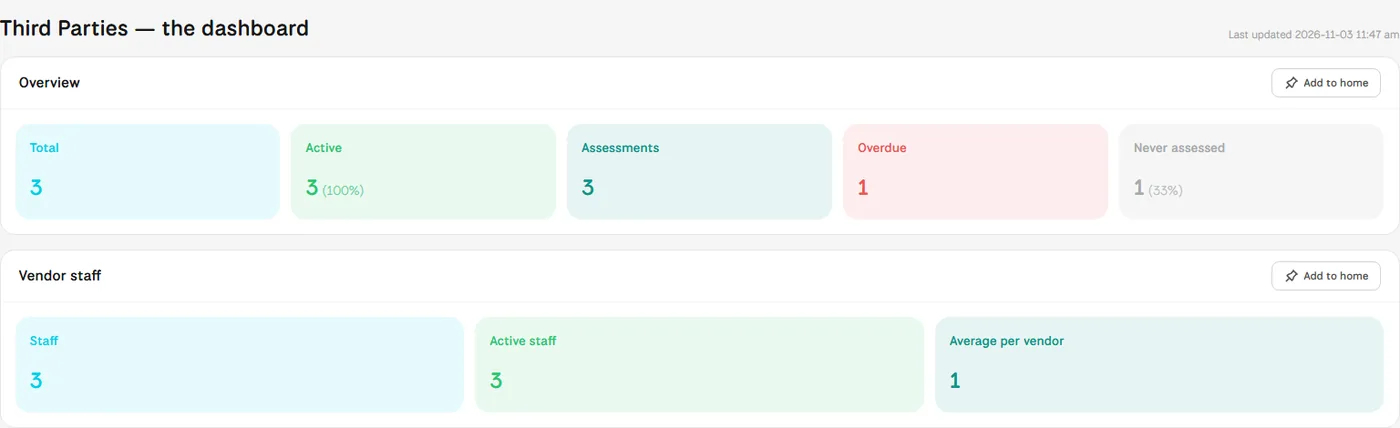
In MUNTABIQ, each third party has its own record: industry, classification, a profile in Arabic and English, the primary contact, and tabs for staff, contracts and risks. From that record you issue a due diligence questionnaire from a template with a due date and a reassessment date, then follow its status and answers. The third parties dashboard shows active vendors, overdue assessments and vendors never assessed in one place.
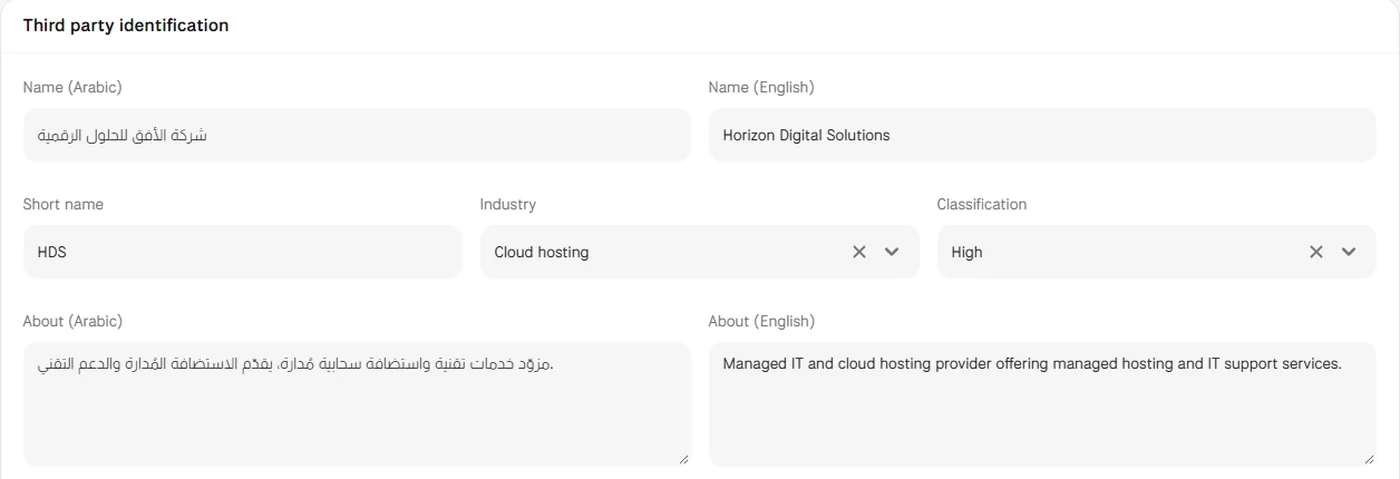
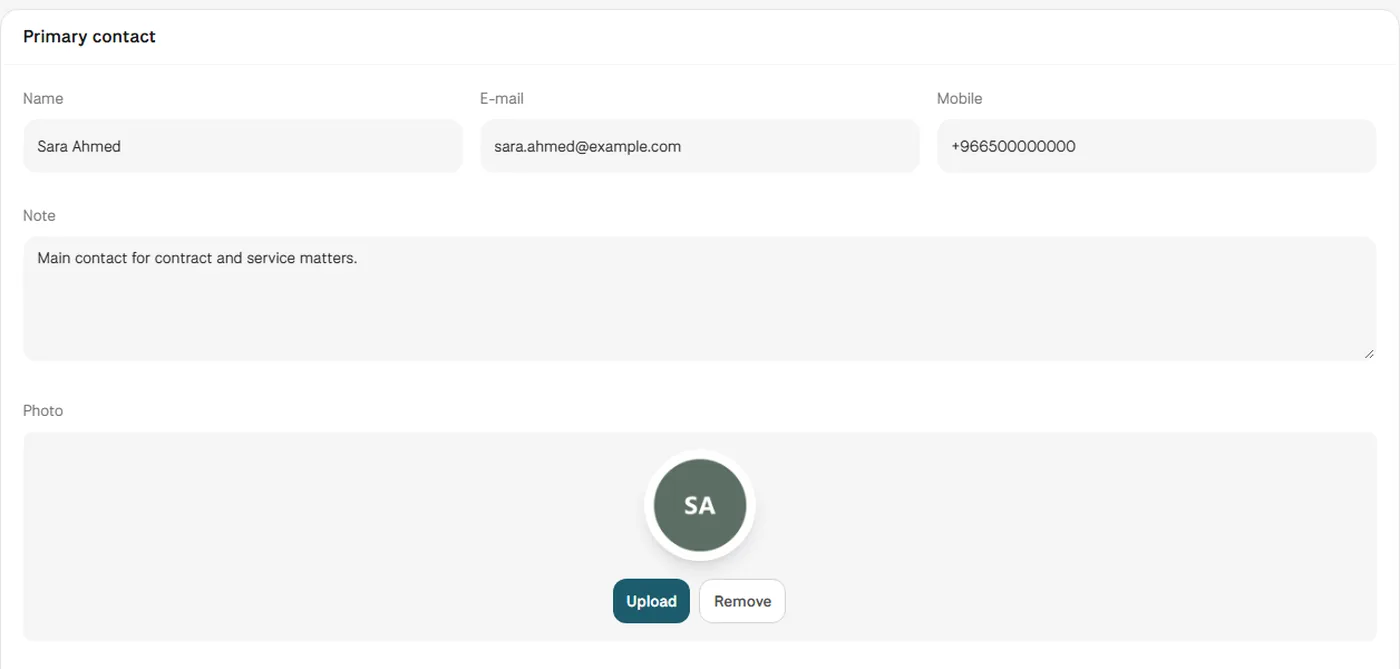
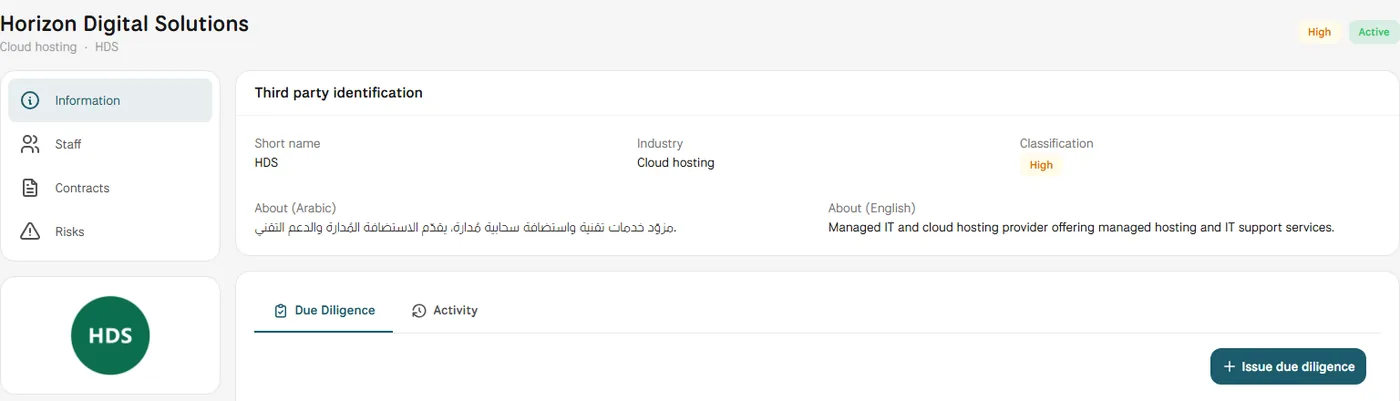
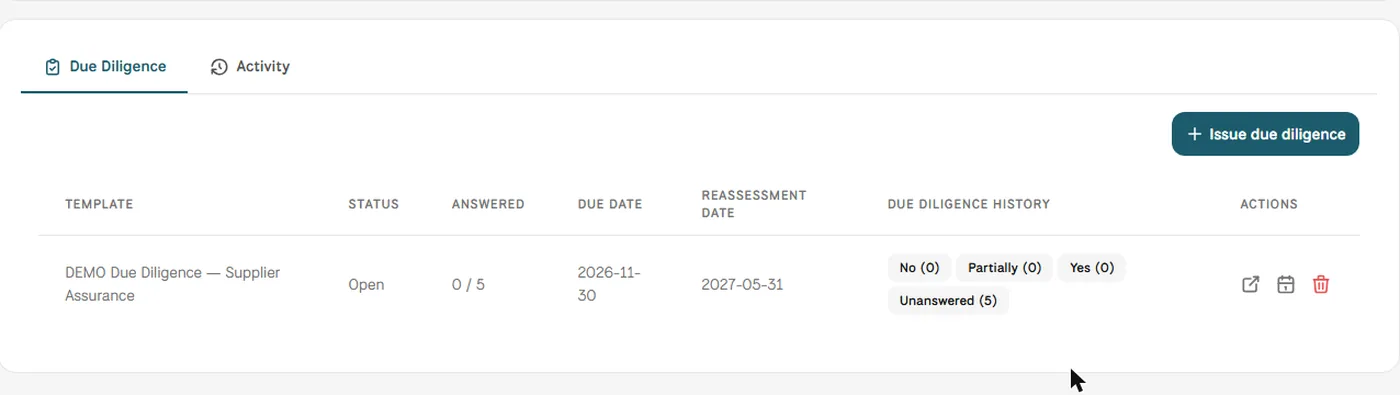
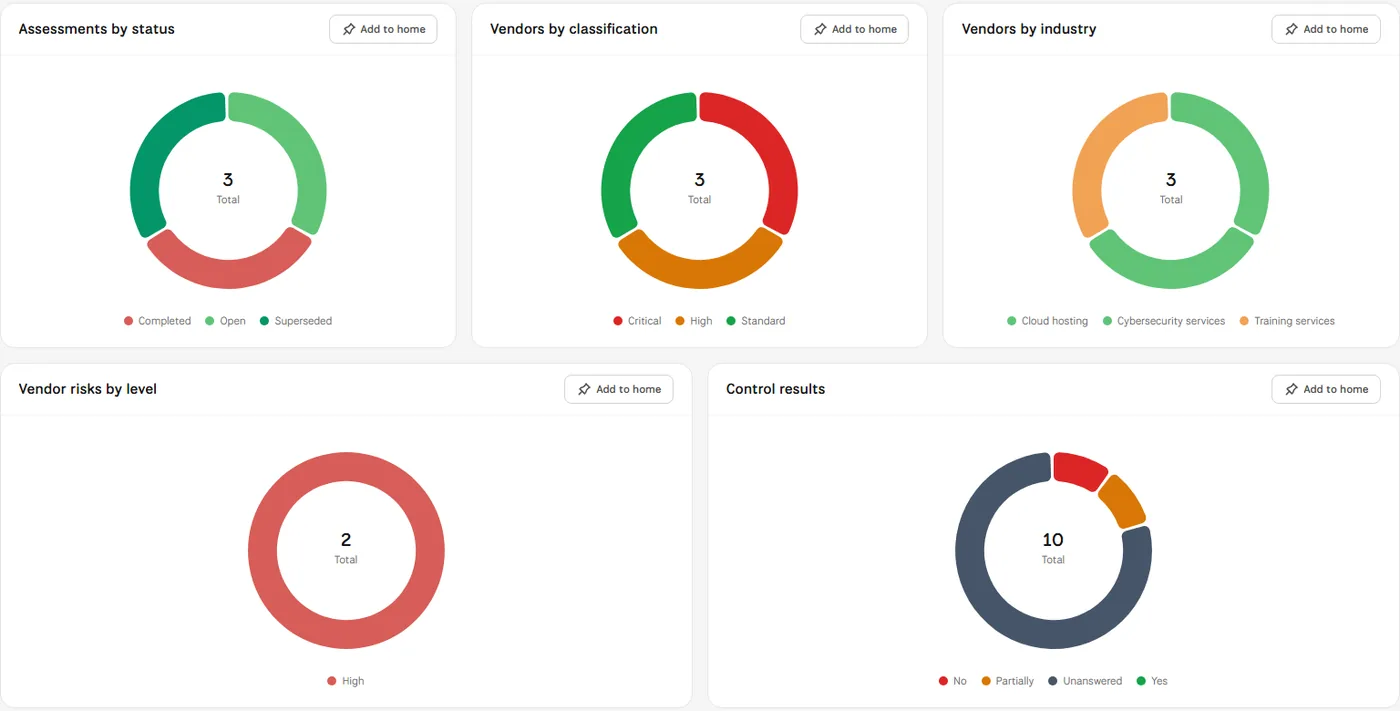
Screens from MUNTABIQ with demo data.
Every vendor sits in the same register with its industry, classification, primary contact and status.
Each due diligence questionnaire has a template, a due date and a reassessment date, with its progress visible on the vendor's record.
The dashboard counts vendors never assessed and assessments that are overdue, so none of them is forgotten.
Issues due diligence to vendors, follows open questionnaires and reviews vendor risks by level.
Registers new suppliers with their classification and primary contact, and finds their contracts and staff on the same record.
Sees overdue assessments, vendors never assessed and the share of critical suppliers on one dashboard.
Yes. Each third party has a Staff tab that lists the people linked to it, and the dashboard shows total vendor staff, active staff and the average per vendor.
Yes. When you record a risk, you can choose third parties as its source and select the vendor's record. The vendor's page has a Risks tab and a chart of its risks by level, and the risks dashboard shows risks by source.
Yes. Imports has a Third Parties option that loads vendors from a spreadsheet, each with its primary contact, using a template you download with the right columns.
Request a demo and we will walk you through these steps using vendors similar to the ones you work with.
