KPI & KRI Monitoring
Define key risk and performance indicators with an owner, a frequency and levels or targets, let assignees enter each period's reading, and see the level or achievement on the indicator page.
Made for: CISO, Risk Manager, Executive Management
Sounds familiar?
Every month someone collects numbers from several teams into a spreadsheet, applies thresholds of their own, and pastes the result into a presentation. When a value crosses a limit, it is not clear what should happen next or who should act.
Each team measures the same indicator differently, so the numbers cannot be compared.
No named person is responsible for entering each period's value.
Reports show the overall picture, and the value that crossed its threshold goes unnoticed.
How MUNTABIQ helps
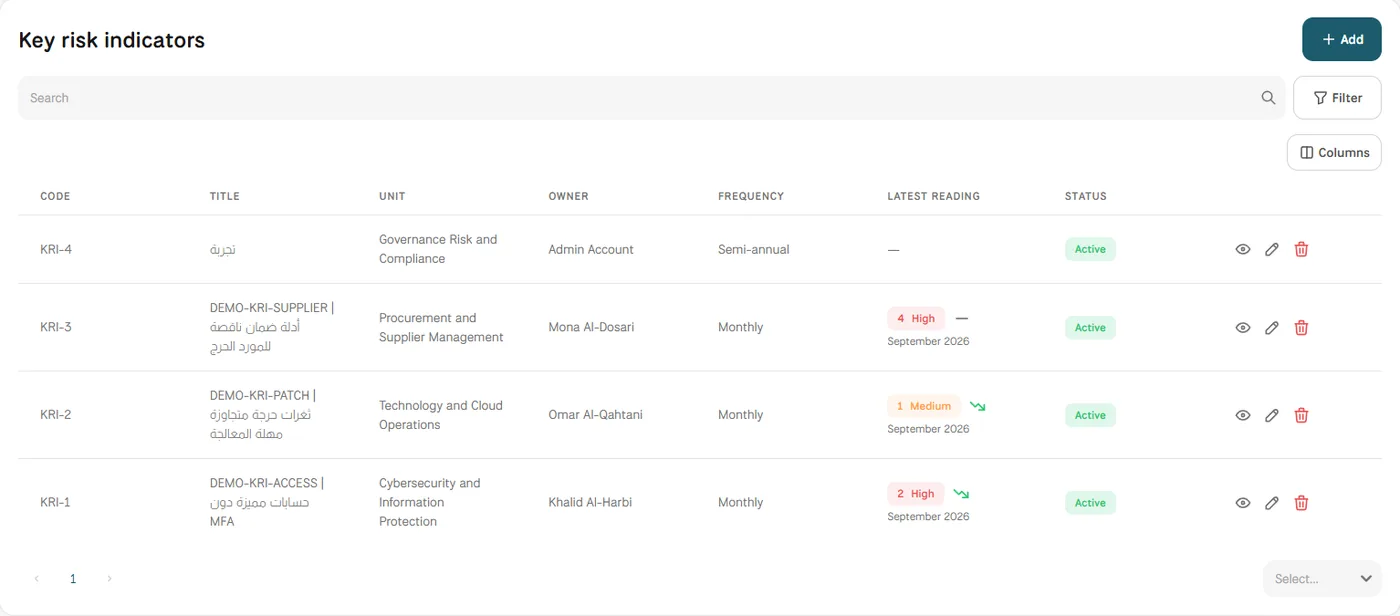
In MUNTABIQ, each indicator has a title, description, unit, owner, frequency and unit of measure. Key risk indicators get levels with value ranges and the procedure to follow at each level; key performance indicators get a minimum, a target and a target direction. Assignees get a notification and enter the reading on the month's row, and the indicator shows the latest value with its level or achievement, alongside a performance chart for the year.
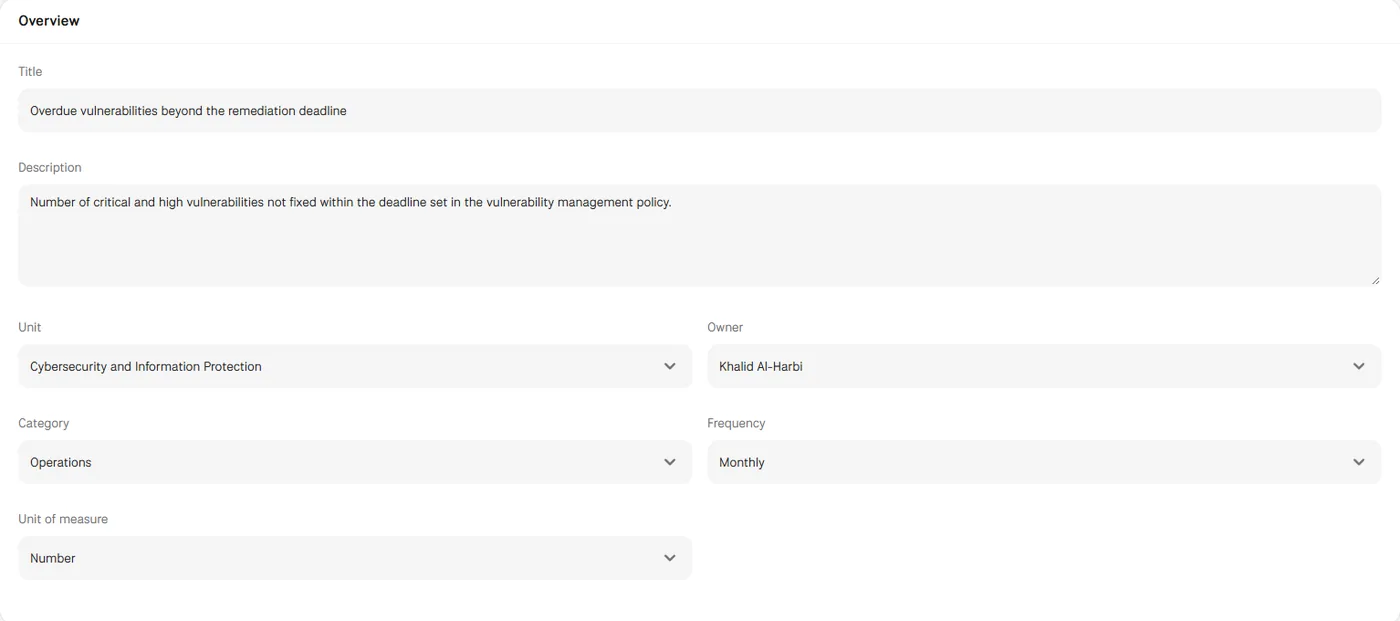
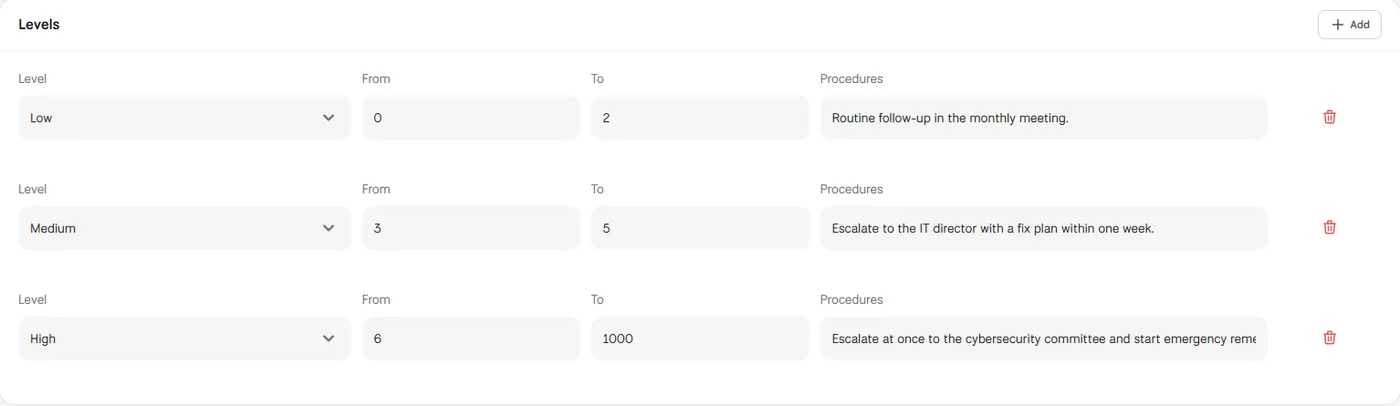
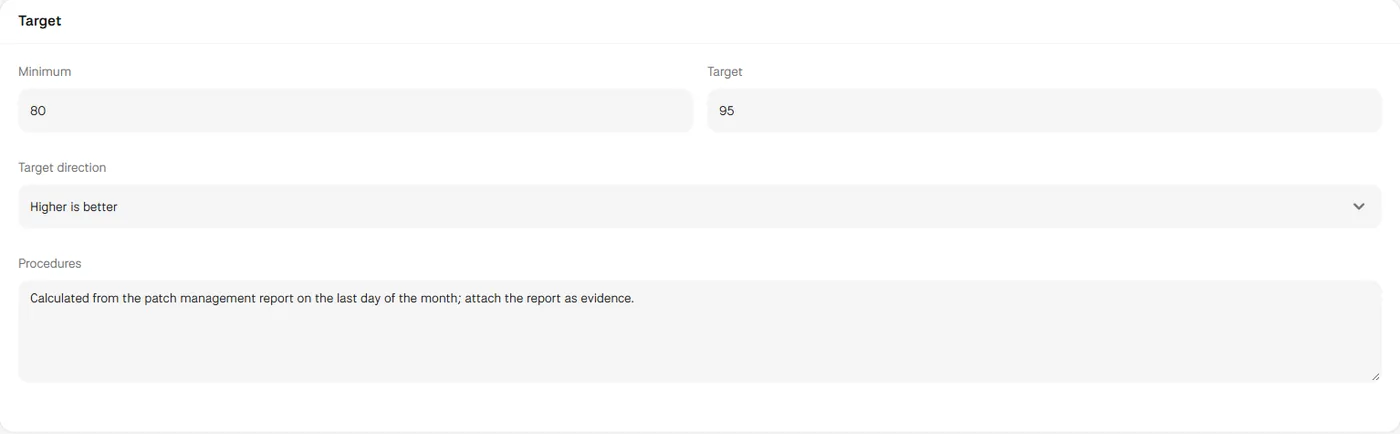
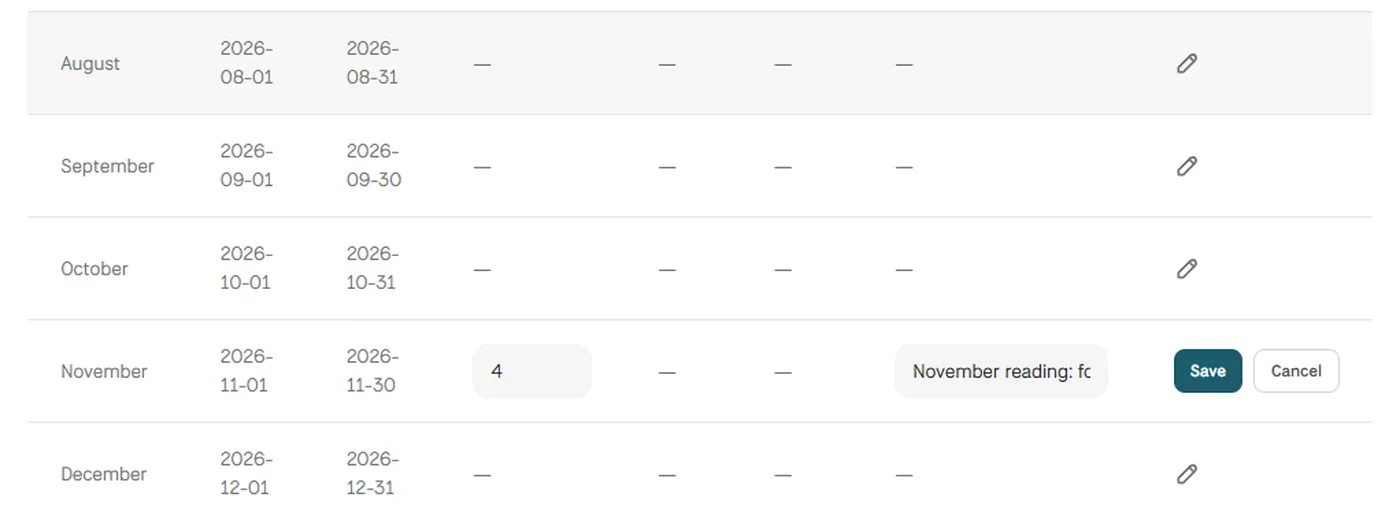
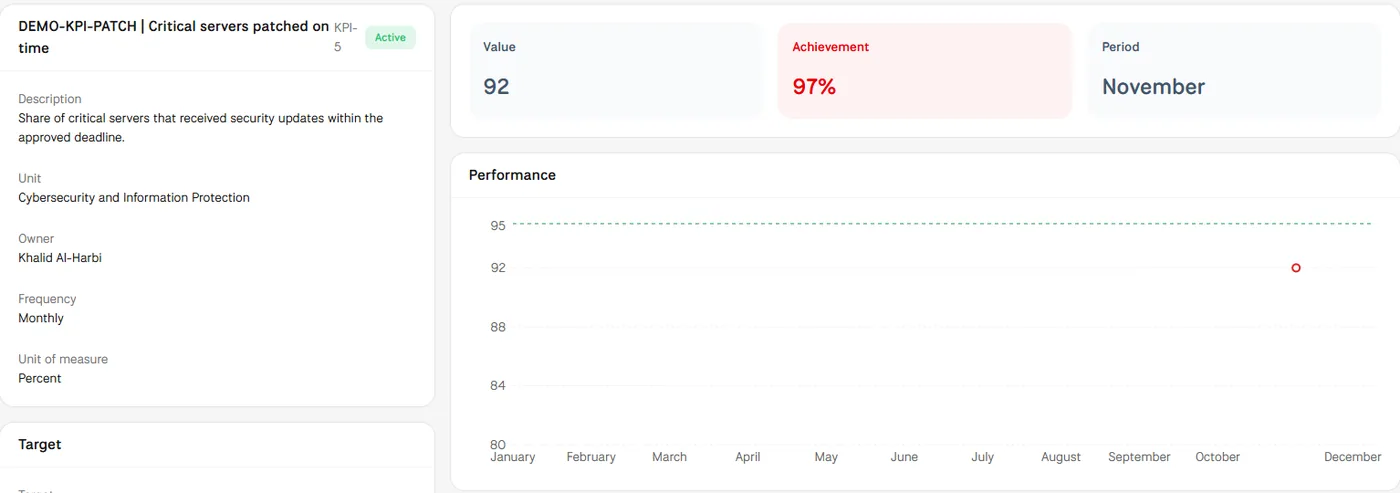
Screens from MUNTABIQ with demo data.
Each indicator carries its description, unit of measure, frequency and thresholds, so everyone reads it the same way.
The owner and assignees are set on the indicator, and each reading is entered by the person responsible for it.
Each reading shows its level or its achievement against the target, and the procedure for each level is defined on the indicator in advance.
Defines security indicators with clear thresholds and sees which ones have moved to a higher level.
Sets the levels and procedures for each indicator and follows the readings across the year.
Sees the latest value of each indicator with its level or achievement, without waiting for a compiled report.
Yes. You create each indicator with your own title, description, unit, owner and frequency, then set levels for a risk indicator or a target for a performance indicator. Lists such as frequency, unit of measure and levels are managed in Settings.
Assignees enter each reading on the period's row with a value and a note. The indicators themselves can also be created from a spreadsheet through Imports, one indicator per row, using a template with the right columns.
Yes. The readings table keeps each period of the selected year with its value, level or achievement, trend and note, the performance chart shows the readings across the months, and the Activity tab records changes to the indicator.
Request a demo and we will walk you through these steps using indicators like the ones you report to management.
